
If two businesses offer the same service in the same city, the one with the better optimized Google Business Profile often wins the customer. Not because it always has a bigger budget. Because Google and customers can understand it more clearly.
That trust is built one detail at a time: the right category, complete business information, real services, fresh photos, credible reviews, and consistent activity.
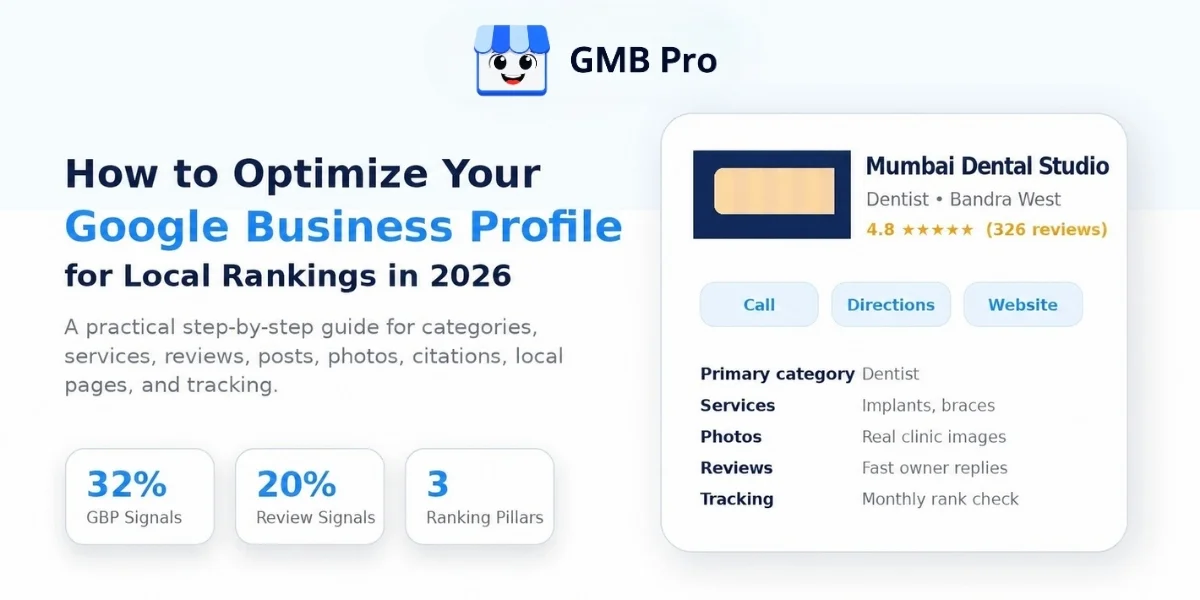
This guide walks through every part of that profile in the order that matters most: categories, services, business description, posts, reviews, photos, citations, local landing pages, AI search, and tracking. No vague advice. Just the steps local businesses and agencies should follow in 2026.
Quick Answer
To optimize a Google Business Profile for local rankings, start with the most accurate primary category, complete every business field, add relevant services and attributes, write a clear 750-character business description, publish useful Google Posts regularly, request genuine reviews without incentives, reply to reviews quickly, upload real business photos, keep NAP details consistent across citations, support the profile with local landing pages, and track ranking and Performance data monthly.
How Google Business Profile Ranking Actually Works
Google explains that local search visibility mainly comes down to three key factors: relevance, distance, and prominence. These continue to play a major role in how businesses appear in local results.
- Relevance is about how closely your business profile matches what a person is searching for. Categories, services, attributes, and clear website content help here.
- Distance is how close your business or service area is to the person searching. You cannot fake distance, but you can define your real service areas accurately.
- Prominence is how well known and trusted your business appears to be. Reviews, links, citations, brand mentions, and engagement all support this.
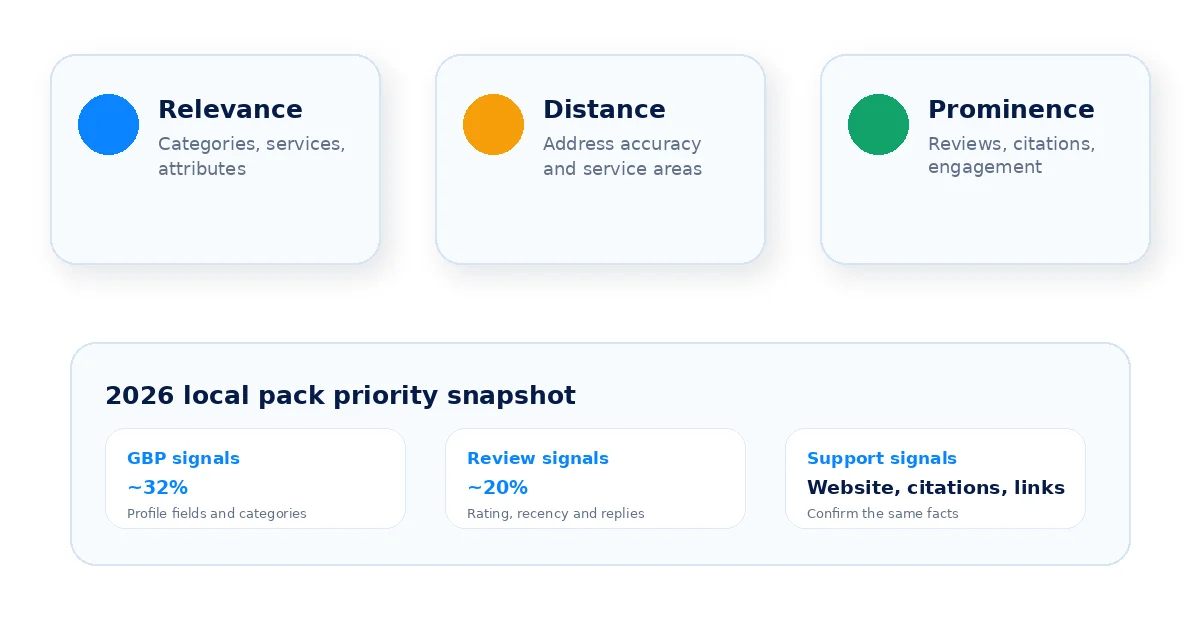
Independent local SEO research also supports the same practical priority: Google Business Profile signals and review signals remain among the most influential local pack and Maps ranking groups. Whitespark’s 2026 report lists Primary GBP Category as the top individual local pack ranking factor. That does not mean your website or citations are unimportant. It means your profile foundation should be fixed first, then supported by reviews, citations, and local pages.
| Ranking Factor Group | Approximate Priority | What Controls It |
|---|---|---|
| Google Business Profile signals | Highest controllable group | Category, services, business info, attributes, posts, photos |
| Review signals | Very important | Review count, rating, recency, keywords in reviews, owner responses |
| Link signals | Important support signal | Website authority and relevant local backlinks |
| On-page and citation signals | Important support signal | Website content, local pages, schema, and NAP consistency |
| Behavioral signals | Engagement signal | Clicks, calls, direction requests, and profile interactions |
The takeaway: start with the profile, then reviews, then the supporting ecosystem around it.
Step 1: Get the Foundation Right
Before touching advanced optimization, confirm the basics are accurate and complete. Incomplete or inconsistent profiles are still one of the most common reasons businesses lose visibility.
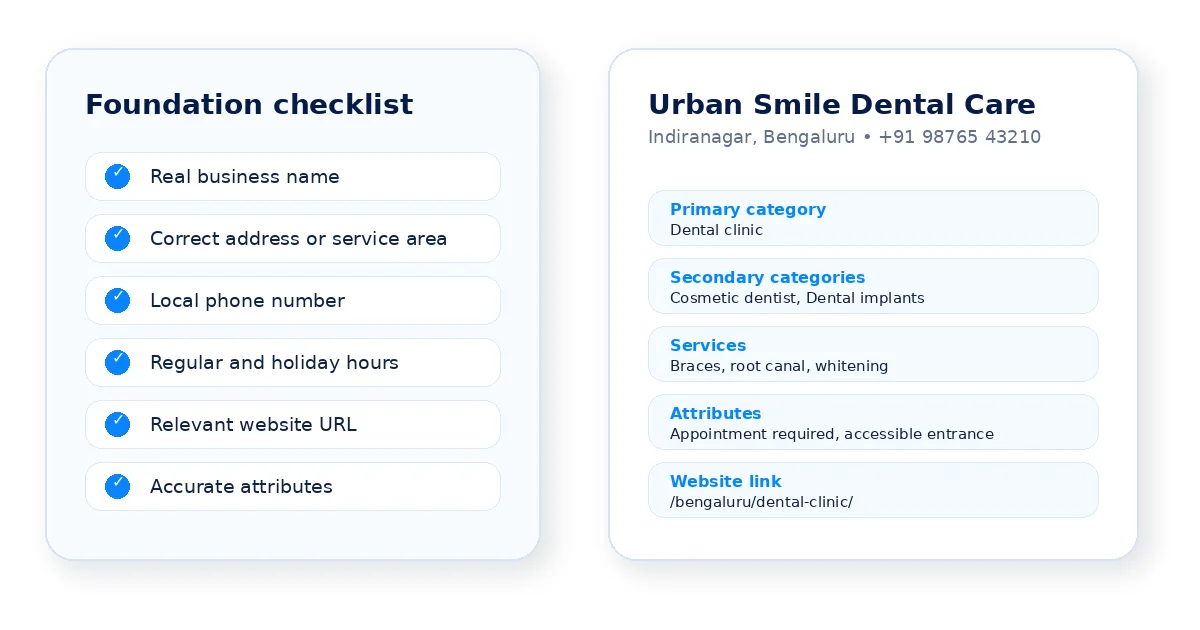
- Business name: Use the same business name that your customers know and recognize in the real world. Do not add extra keywords unless they are part of the real name shown on signage, documents, and your website.
- Address: storefronts should use the exact address that matches their website and citations. Service-area businesses should hide the address if customers are not served there.
- Phone number: use a number that connects to the actual business location or team. If you use call tracking, keep the number consistent and properly configured.
- Hours: keep regular hours, holiday hours, and special hours current. Wrong hours create a poor customer experience and reduce trust.
- Website URL: Add a link to the page that best matches your business and what customers are looking for. For multi-location businesses, link each profile to its matching location page.
- Attributes: complete relevant attributes such as accessibility, appointment options, amenities, or service options where available.
Step 2: Choose Your Categories Strategically
Your primary category is one of the highest-leverage decisions on the entire profile. It tells Google what kind of business you are and shapes the searches where you are eligible to appear.
Primary category
Choose the most specific category that accurately describes your main business. Do not choose a category only because a competitor uses it. The category must reflect the real service or business type customers expect from you.
Secondary categories
Add secondary categories only when they accurately reflect the services or products your business offers. Extra categories can help Google understand the business, but irrelevant categories can confuse both Google and customers.
How to check your category setup
- Search Google Maps for your main service in your city and study the top relevant competitors.
- Check whether a more specific category exists before defaulting to a broad one.
- Review your category list every quarter because Google updates available categories over time.
Step 3: Build Out Your Services
The Services section is one of the easiest places to improve profile relevance. Many competitors leave it thin, outdated, or half-filled.
- List every real service you offer, not only the two or three most popular services.
- Write a unique description for important services using plain customer language.
- Match profile services with your website service pages so the profile and site support the same claims.
- Group related services in a way that makes sense for customers, especially if you offer many services.
Step 4: Write a Description That Works for Humans and AI
Google’s description field allows up to 750 characters. Use it to explain what the business does, who it serves, and why customers should trust it. Keep the first sentence clear because customers may not read beyond it.
What to include
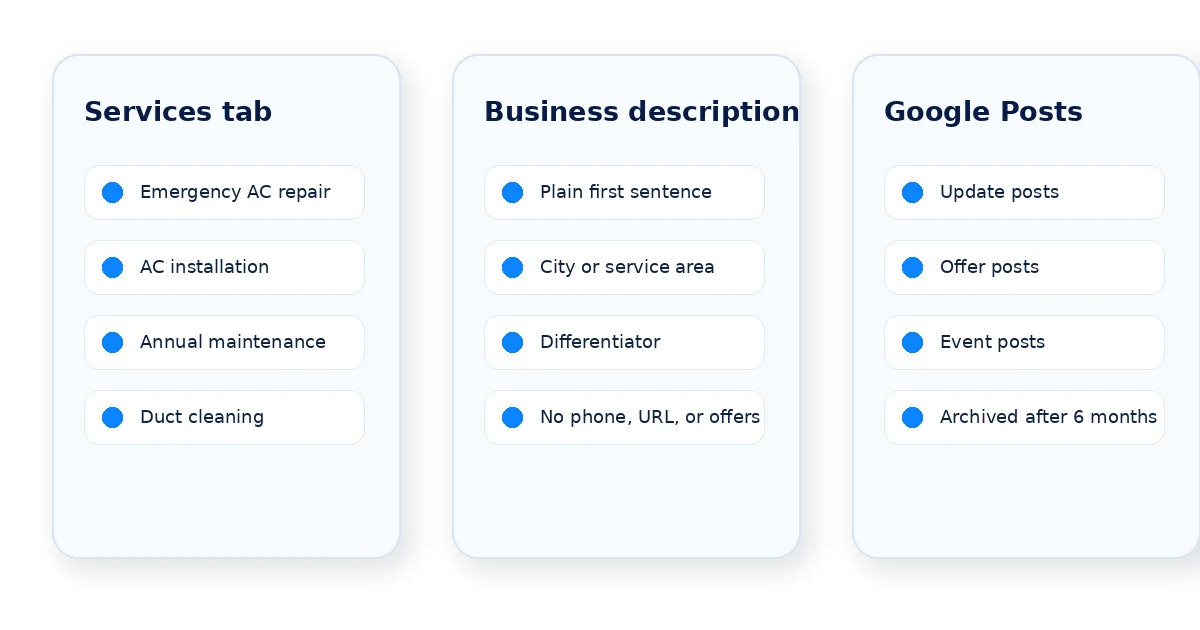
- What you do, in plain language, in the first sentence.
- The city, locality, or service region mentioned naturally.
- Differentiators such as years in business, certifications, specialties, or response time.
- A soft call to action near the end.
What to avoid
- Keyword stuffing, repeated phrases, or “near me” wording that sounds unnatural.
- Copying your homepage text word for word.
- Phone numbers, URLs, prices, special promotions, or offer details inside the description field.
For example, “Urban Smile Dental Care offers family dentistry, cosmetic treatments, dental implants, and emergency dental services in Bengaluru. Our experienced team focuses on clear diagnosis, comfortable treatment, and transparent follow-up. Book an appointment to discuss your dental needs with our team.’’
Step 5: Use Google Posts to Stay Active
Google Posts help you share updates, offers, and events directly on your Business Profile. They are useful for engagement and freshness, but they should not be treated as a standalone ranking shortcut.
Important 2026 update: According to Google, posts are archived after six months unless you’ve added a specific date range. That means regular posting still matters, but the old “posts expire after seven days” advice should not be repeated as a blanket rule.
Post types and when to use them
- Update posts: use them for general business updates, new services, tips, or announcements.
- Offer posts: use them for discounts or promotions with clear start and end dates.
- Event posts: use them for workshops, open days, launches, community events, or limited-time events.
A realistic posting rhythm
Publish at least one useful post every week or every two weeks depending on business activity.Each post should include a relevant image, a short caption, and a clear action such as Call, Learn more, or Book.Link to the most relevant page, not always the homepage.
Step 6:Turn Reviews Into a Ranking and Trust Asset
Reviews influence both customer decisions and local trust signals. Treat review management as a system, not an afterthought.
Generate more reviews consistently
- Ask at the moment of highest satisfaction, such as after a job is completed or a purchase is made.
- Send a direct review link by SMS, WhatsApp, or email instead of asking customers to search manually.
- Train staff to ask politely and then follow up with the link the same day.
- Never offer money, discounts, gifts, or incentives in exchange for reviews. Google considers reviews given in exchange for incentives to be fake or misleading content.
Respond to every review
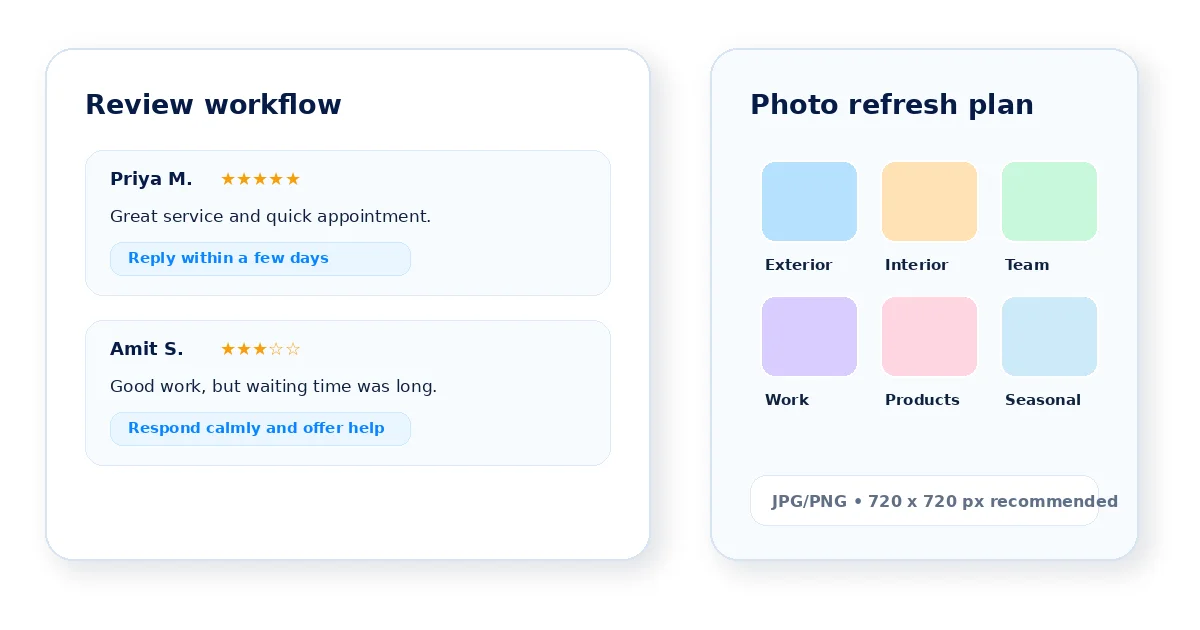
Try to respond to both positive and negative reviews within a few days. Mention the actual service naturally when it fits, but do not stuff keywords into every response. A calm, helpful reply to a negative review often builds more trust than silence.
Review velocity matters
There is no fixed number of reviews needed to rank in the local pack. A steady flow of genuine, recent reviews is usually healthier than a large review count that has gone stale.
Step 7: Optimize Photos and Videos
Photos help customers understand whether the business feels real, current, and trustworthy. They also give Google more context about the business experience.
- Upload real photos, not stock images. Customers trust authentic visuals more.
- Cover the key photo types: exterior, interior, team, services, completed work, products, and seasonal updates.
- Add new photos regularly instead of uploading a large batch once and never returning.
- Follow Google’s technical guidance: JPG or PNG, 10 KB to 5 MB, with a recommended resolution of 720 px by 720 px.
- Use short videos when they genuinely help customers understand the service or location.
- Encourage customer photos through honest reviews, without incentives.
Step 8: Build Consistent Local Citations
A citation is any online mention of your business name, address, and phone number. Citation consistency helps Google confirm that your business is legitimate and located where you say it is.
Where to build citations
- Major directories and data sources relevant to your country and industry.
- Industry-specific directories such as healthcare, legal, hospitality, or home service directories.
- Local business associations, chambers, city directories, and trusted regional listings.
- Review and social platforms that customers in your industry actually use.
The rule that matters most
Keep your name, address, and phone number consistent everywhere. Small differences may not always create a problem, but consistency reduces ambiguity and supports trust. Audit existing listings before creating new ones.
Step 9: Support Your Profile With Local Landing Pages
Your Business Profile should not operate in isolation. The website should confirm the same services, locations, and trust signals that the profile presents.
What to build
- A dedicated page for each important service you offer, with enough detail to help a visitor make a decision.
- A dedicated page for each city, branch, or service area when you operate in multiple locations.
- Location pages with matching NAP details, map embeds, local reviews, and LocalBusiness schema markup where appropriate.
On-page elements that reinforce your profile
- LocalBusiness schema markup with matching name, address, and phone number.
- Service area or city names used naturally in titles, headings, and body content.
- Embedded Google Map for verified physical locations where suitable.
- Internal links between service pages and location pages.
Step 10: Optimize for AI Search
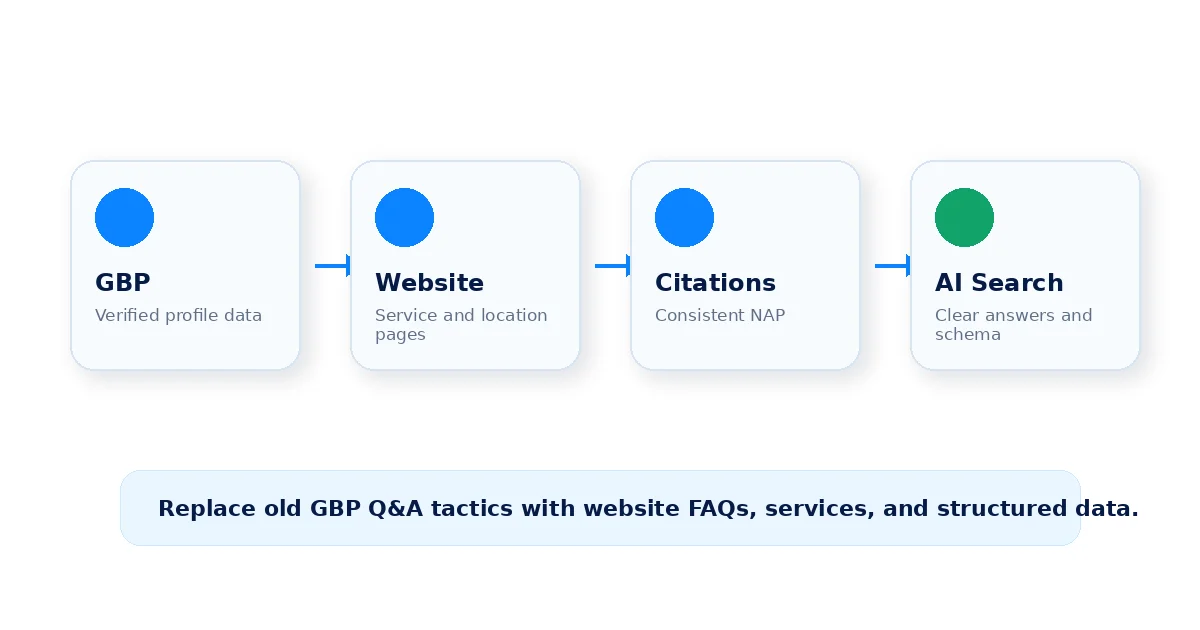
Local discovery now includes more AI-assisted experiences. That does not replace classic local SEO, but it changes how clear and consistent your business information needs to be.
What helps AI systems understand your business
- Structured data: use LocalBusiness, Service, Review, and FAQ schema on relevant website pages.
- Clear answers: answer common customer questions directly on your website and service pages.
- Consistency: keep business name, hours, services, service areas, and contact details aligned across GBP, website, and citations.
- Review quality: earn recent, specific reviews that explain what customers actually experienced.
- Freshness: publish useful posts, add photos, update services, and respond to reviews so profile data stays current.
- Specific details: include response times, coverage areas, certifications, specialties, and proof instead of generic “best service” copy.
Important update to old advice
Do not rely on the old recommendation to fill the Google Business Profile Q&A section. Google removed the public Q&A feature from most profiles in late 2025 and replaced much of that customer-question experience with AI-assisted answers in Maps. Move those answers into your website FAQs and keep your profile fields complete.
Step 11: Track Rankings and Measure What Matters
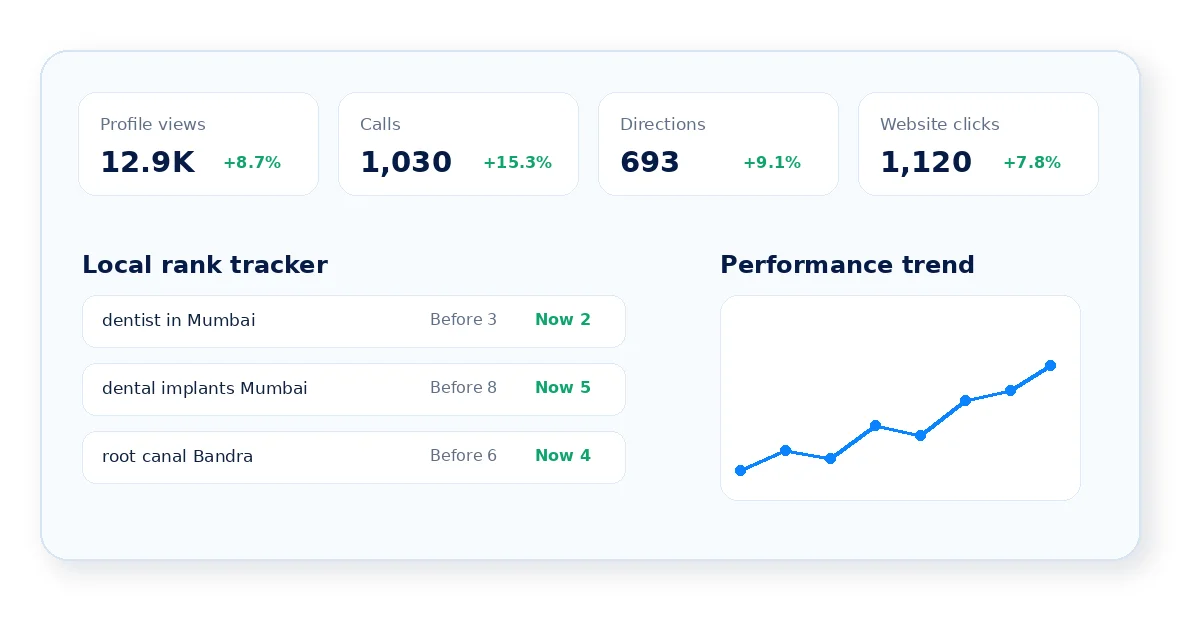
Optimization without measurement becomes guesswork. Track profile visibility and customer actions monthly so you know which changes are working.
| Metric | Why It Matters | Where to Find It |
|---|---|---|
| Local pack ranking by keyword | Shows where you stand against competitors for important local searches | Rank tracking tools such as GMB Pro’s rank tracker |
| Profile views and searches | Shows whether visibility is growing before customers take action | Google Business Profile Performance |
| Calls, direction requests, website clicks | Shows whether visibility is turning into real customer action | Google Business Profile Performance |
| Review count and average rating over time | Tracks reputation trend, not just a snapshot | Google Business Profile and review monitoring tools |
| Search terms and discovery trends | Shows which queries are driving profile visibility | Google Business Profile Performance |
Track rankings from multiple points around your service area, not only from your own office. Local rankings can change depending on where the searcher is located, so a grid or location-aware rank tracker gives a more realistic picture.
Common Mistakes That Quietly Kill Rankings
- Keyword stuffing the business name. This risks suspension and creates a poor customer experience.
- Leaving services or attributes blank. An incomplete profile gives competitors an easy advantage.
- Buying or incentivizing reviews. This violates Google policy and can lead to review removal or profile issues.
- Using outdated post advice. Posts do not universally expire after seven days. Google says posts older than six months are archived unless a date range is set.
- Relying on Google Q&A advice from old guides. Public Q&A has been removed from most profiles, so build FAQs on your website instead.
- Using “geo-tagged photos” as a ranking shortcut. Real, relevant, high-quality photos matter more than metadata tricks.
- Inconsistent NAP across directories. This weakens trust and creates confusion.
- Posting once and disappearing. Local SEO rewards consistency over time.
- Ignoring negative reviews. Silence can reduce customer trust.
- Using the same thin landing page for every city. Location pages should be useful and distinct.
Putting It All Together
None of these steps works in isolation. A strong primary category with an empty services section will not do enough. A great description with no recent reviews will not convert. Local ranking rewards businesses that treat their Google Business Profile as an ongoing channel, not a one-time setup task.
The businesses winning local search in 2026 are not necessarily the biggest ones. They are the ones showing up consistently, in every small detail, month after month.
If keeping up with this manually feels like a full-time job, that is exactly the gap GMB Pro was built to close. It helps with rank tracking, review management, AI-assisted post scheduling, and profile audits from one dashboard. You can start a free 14-day trial and see where your profile stands today.
Fact-Check Sources Reviewed
- Google Business Profile Help for local ranking guidance, including relevance, distance, and prominence.
- Google Business Profile Help for posts, including the current archival guidance for posts older than six months.
- Google Business Profile guidelines for business descriptions, business names, service-area businesses, and profile representation.
- Google Business Profile photo guidelines for accepted formats, file sizes, and recommended resolution.
- Google Business Profile review policy and Google Maps contribution policies for review incentive restrictions.
- Google Business Profile Performance documentation for current reporting terminology and customer action metrics.
- Whitespark’s 2026 Local Search Ranking Factors report for local pack and Maps factor context.