GMB Pro Local SEO Blog
Read guides, marketing analyses, and tutorials written by local SEO experts to boost visibility.

Loading GMB Pro...
Read guides, marketing analyses, and tutorials written by local SEO experts to boost visibility.
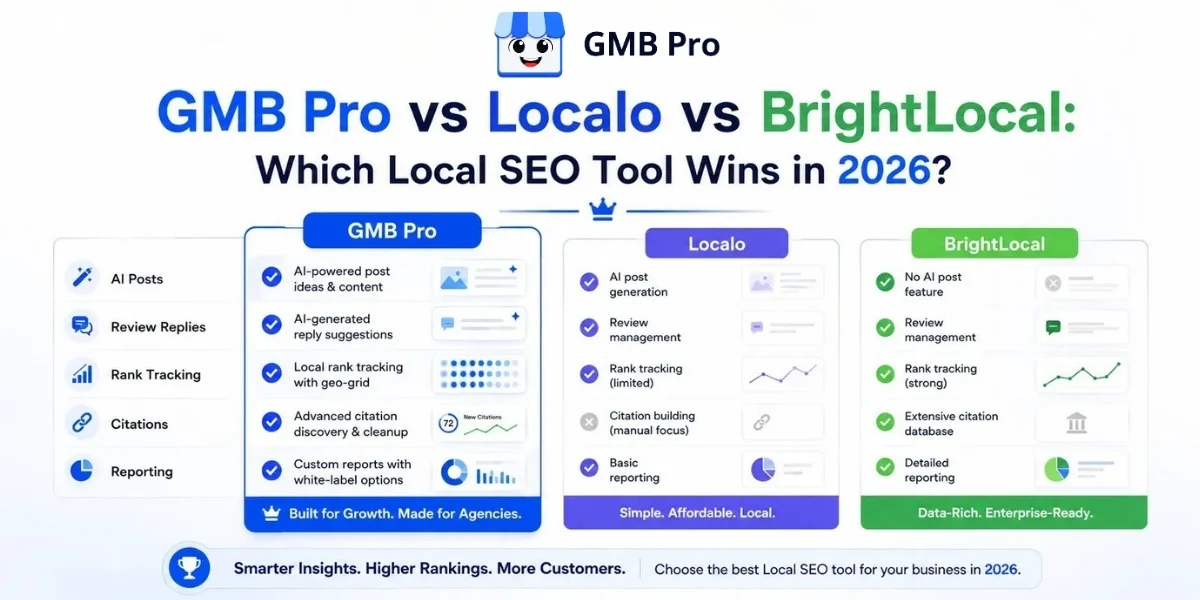
GMB Pro vs Localo vs BrightLocal: Which Local SEO Tool Wins in 2026?If you manage a Google Business Profile for your own business or for clients, you have probably run into all three of these names. GMB Pro, Localo, and BrightLocal all promise the same broad outcome: better local visibility, more calls and clicks, and less manual work. But they do not solve that problem in the same way.This guide compares the tools feature by feature. It covers automation, reviews, rank tracking, citations, reporting, and pricing. It also explains which tool makes the most sense for different kinds of users in 2026.After reviewing the public product pages and current positioning of each tool, the short answer is this: GMB Pro is the strongest all-around choice for businesses and agencies that want a simpler, automation-first workflow. Localo is especially strong for guided optimization and geo-grid visibility. BrightLocal remains strongest when citation depth, audits, and agency reporting are the priority. Choose GMB Pro for automation, Localo for guided geo-grid optimization, and BrightLocal for citation-heavy agency workflows.Key TakeawaysAll three tools connect to Google Business Profile, but they automate different parts of the work.GMB Pro focuses on AI-powered posting, review workflows, reporting, and day-to-day local SEO operations.Localo stands out for its Smart Tasks and geo-grid tracking for hyper-local visibility analysis.BrightLocal remains strongest for local SEO audits, citation management, and white-label reporting.Localo publicly lists Single Business pricing from $39 per month billed annually and Pro from $149 per month billed annually.BrightLocal currently shows its Track, Manage, and Grow platform plans as price on request and keeps Citation Builder as a separate pay-as-you-go service.GMB Pro offers a 14-day free trial, says no card is required to start, and positions itself around local search visibility in both Google Search and AI answers.At-a-Glance ComparisonIf you want a quick summary before reading the full breakdown, this comparison gives the fastest view of who each platform fits best.CriteriaGMB ProLocaloBrightLocalBest forBusinesses and agencies wanting AI automation with a simple workflowSolo owners, freelancers, and small teams wanting guided tasks and geo-grid visibilityAgencies needing deeper audits, citation tools, and mature reportingAutomation styleAI-driven posting, review handling, auditing, and reportingGuided recommendations, Smart Tasks, and workflow suggestionsBroader local SEO workflow with strong audits and citation depthReview workflowAI-assisted review reply workflow and centralized managementReview monitoring and responses with guided suggestionsReview monitoring and broader reputation workflow featuresRank trackingCompetitor-focused keyword visibility trackingStrong geo-grid visibility trackingLocal Rank Tracker plus Local Search GridCitationsIntegrated support within the broader platform workflowCitation opportunities and consistency supportDeep citation tracking plus separate Citation Builder serviceTrial14-day free trial14-day free trial14-day free trialWhat Each Tool Actually DoesGMB Pro: Automation-first and AI-nativeGMB Pro connects directly to Google Business Profile and automates the recurring work that usually consumes the most time. That includes Google Posts, review workflows, local rank tracking, listing monitoring, and reporting. On its homepage, GMB Pro highlights a 14-day free trial, no card required to start, and positioning around visibility in both Google Search and AI answers.In practice, GMB Pro is designed for users who want fewer moving parts. Instead of stitching together multiple tools, the goal is to manage the day-to-day profile work from one dashboard and reduce manual repetition.Localo: Guided Tasks and Geo-Grid VisibilityLocalo is built around guided optimization. Its Smart Tasks tell users what to improve next, and its geo-grid style rank tracking helps show visibility area by area instead of only as one average position. That makes it a practical choice for freelancers, consultants, and smaller teams that want clarity and step-by-step direction.Localo also promotes AI-assisted content generation, reports, and multi-profile management. It is especially helpful when you want the software to tell you what to do next instead of expecting you to build your own process.BrightLocal: Audits, Citations and Reporting DepthBrightLocal remains one of the most agency-oriented platforms in this category. Its public pricing page emphasizes Local Search Audit, Local Rank Tracker, Local Search Grid, Citation Tracker, GBP Audit, white-label reporting, and Citation Builder. The platform is broad and mature, which is why it continues to fit consultants and agencies that sell local SEO as a service.BrightLocal is especially strong when citation cleanup, audit depth, and reporting are a central part of your deliverables. That broader depth can also make it feel heavier for users who mostly want automation and simplicity.Feature-by-Feature ComparisonThis is where the differences become clearer. On paper, all three tools cover the same category. In actual day-to-day use, their strengths are not identical.AI-Generated Posts and ContentGMB Pro and Localo both lean into content assistance. GMB Pro is built to help users generate and schedule Google Posts quickly. Localo also promotes AI post generation and scheduling. BrightLocal supports GBP post scheduling too, but its product emphasis still feels more operational and reporting-oriented than automation-first.Review Management and AI RepliesGMB Pro focuses heavily on review workflows. The platform positions review handling as part of its core automation stack. Localo also supports review responses and review management tools. BrightLocal supports monitoring and responding to customer reviews across multiple sites and includes review gathering and showcase capabilities in its broader platform feature set.Local Rank TrackingLocalo and BrightLocal both stand out for geo-grid style local visibility views. Those views are useful when you need a block-by-block understanding of how a business ranks across an area. GMB Pro takes a simpler, more readable approach centered on keyword positions and competitive visibility.GBP Audits and Listing ProtectionAll three tools help users improve or monitor profile quality. BrightLocal has a strong audit stack. Localo uses guided audits and tasks. GMB Pro combines profile management with operational monitoring so users can stay on top of visibility and listing accuracy without manual checking every day.CitationsBrightLocal is clearly the deepest citation platform of the three because it combines citation tracking with the separate Citation Builder service. Localo also addresses citations and consistency support. GMB Pro includes citation support inside a broader day-to-day local SEO workflow, which is more convenient for users who do not want another separate service layer.Reporting and White-LabelBrightLocal has long been strong in reporting. Localo also supports branded and automated reporting. GMB Pro automates client-ready reporting for users who want less manual admin work each month.AI Search VisibilityIn 2026, local search is no longer only about the map pack. Business profile data influences how local businesses appear across richer search experiences. That makes profile completeness, review freshness, accurate business data, and active posting more important than before. Tools that keep profiles active are helping beyond classic map ranking.Ease of Use and Setup TimeGMB Pro and Localo are easier entry points for many non-specialists because they present the work in a more guided way. BrightLocal is broader and more mature, but that also means there is more to learn.Team and Multi-Location SupportAll three tools support businesses with more than one location and agencies that manage client accounts. The difference is not whether they support scale. The difference is how operational or how guided the experience feels as you scale.Pricing ComparisonPricing changes in this category, so the best practice is always to confirm live pricing before publishing or purchasing. The comparison below reflects the current public positioning reviewed in 2026.CriteriaGMB ProLocaloBrightLocalPricing approachSimple and transparent positioningSingle Business from $39/month billed annually; Pro from $149/month billed annually; Enterprise customTrack, Manage, and Grow shown as price on requestFree trial14-day free trial14-day free trial14-day free trialReview managementCore workflow focusIncluded in paid platform workflowAvailable inside the platform feature stackCitation buildingIntegrated into the broader platform workflowSupported inside the platformCitation Builder sold separately as pay-as-you-goBest fitBusinesses and agencies that want an all-in-one workflowUsers wanting guided optimization and geo-grid visibilityAgencies and local SEO teams needing citation and reporting depthImportant note: Bright Local now displays “price on request” for its platform tiers on the public pricing page. Localo still lists public self-serve pricing. Because product and pricing pages change, always recheck before final publication.Who Should Choose Which ToolThe right tool depends less on abstract features and more on how you actually work.Busy business owner or growing agencyChoose GMB Pro if you want your profile to stay active without logging in daily, you want reviews handled quickly, and you want reporting without spreadsheet work.Solo owner or freelance consultantChoose Localo if you want a simple weekly checklist, guided actions, and a highly visual geo-grid view of visibility.Established agency selling citation and audit servicesChoose BrightLocal if citation accuracy, local SEO audits, and white-label reporting are central parts of your client offer.Multi-location brand wanting hands-off managementChoose GMB Pro if you want repeated tasks such as posting, review workflows, and reporting handled centrally across locations.Real-World ExamplesSingle-Location RestaurantA restaurant owner with no internal marketing team wants offers posted consistently and reviews handled quickly. GMB Pro is the most practical fit because the workflow is designed to reduce manual effort.Freelance Local SEO ConsultantA solo consultant managing a small set of clients wants a repeatable weekly process and precise local visibility maps. Localo fits this use case well.Mid-Size Local SEO AgencyAn agency that sells local SEO packages and citation work across many clients needs mature reporting and deeper citation capability. BrightLocal fits that service model well.Multi-Location Clinic GroupA business with several locations wants central oversight, consistent posting, and unified review handling. GMB Pro makes the most sense when simplicity and automation are the priority.Strengths and WeaknessesGMB ProStrong automation-led workflow for posts, reviews, and reporting.Simple setup, 14-day free trial, and no-card start messaging on the homepage.Good fit for businesses and agencies that want fewer tools and less repetitive manual work.Less focused on deep geo-grid visualization than Localo or citation-heavy workflows like BrightLocal.LocaloExcellent guided optimization approach with Smart Tasks.Strong geo-grid visibility tracking.Public self-serve pricing is easy to understand.Less of a broad agency operations platform than BrightLocal.BrightLocalVery strong in local SEO audits, citations, and white-label reporting.Citation Builder is a major advantage for citation-heavy service businesses.Broad platform depth for consultants and agencies.Pricing is less immediately transparent because the main platform is now shown as price on request.The Final VerdictThere is no single tool that wins every category for every buyer. The best choice depends on what kind of work you need the software to do for you.Choose GMB Pro if you want a modern, automation-first platform for day-to-day Google Business Profile management.Choose Localo if you want guided recommendations and strong geo-grid tracking.Choose BrightLocal if you want a deeper local SEO operations stack with strong citation and reporting depth.For most single-location businesses and growing agencies in 2026, GMB Pro stands out as the best all-around choice because it balances automation, clarity, and practical day-to-day use.See the difference on your own profileThe fastest way to compare tools is to connect a real profile and see what changes in the first week. GMB Pro positions itself around getting users started in under 10 minutes and highlights a 14-day free trial.AI-assisted Google Post creation and scheduling.Review workflow support from one dashboard.Local keyword visibility tracking.Profile monitoring and reporting.A simpler day-to-day workflow for teams and agencies.Explore GMB Pro here: https://gmbpro.io/The Bottom LineGMB Pro, Localo, and BrightLocal all solve the same core problem: local business profiles are time-consuming to manage manually. The difference is how each tool handles that workload.If you want the most balanced blend of automation, usability, and modern local search workflow support in 2026, GMB Pro is the strongest overall recommendation.If you want guided improvement tasks and strong geo-grid visibility, Localo is the better fit. If you need agency-grade citation depth and mature reporting, BrightLocal is the better fit.Fact-check note: this version was updated using official public product pages reviewed in 2026. Key checks included Localo pricing, BrightLocal public pricing presentation, BrightLocal feature stack, and GMB Pro trial and positioning details. Because SaaS tools change quickly, confirm live pricing and features again before publication if the post will be published later.
Sachin Jangir
Co-Founder
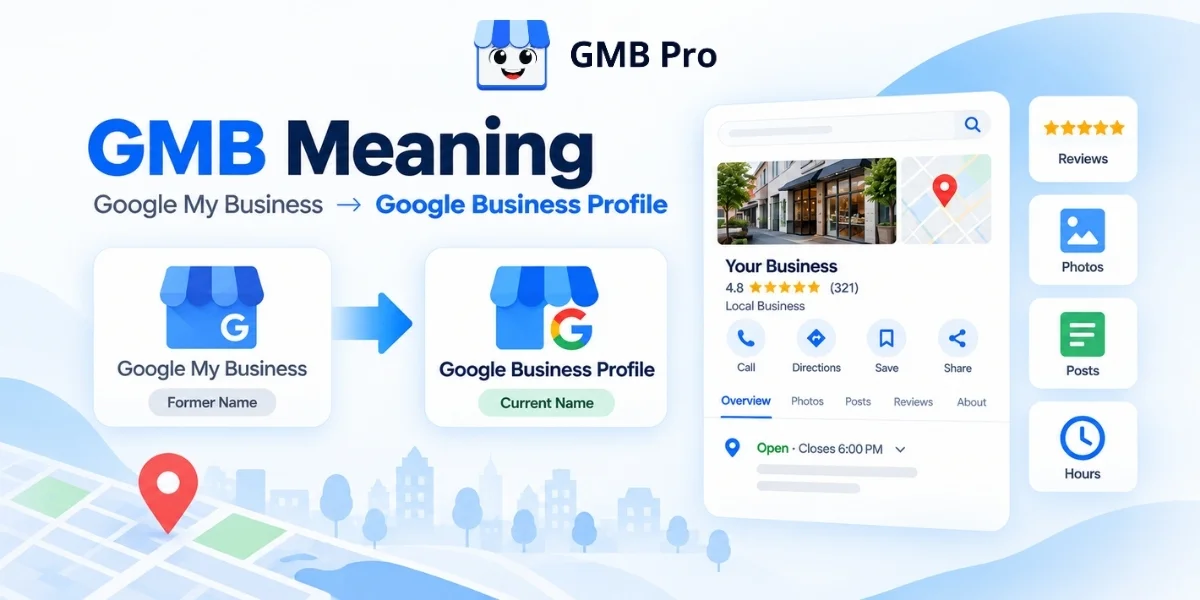
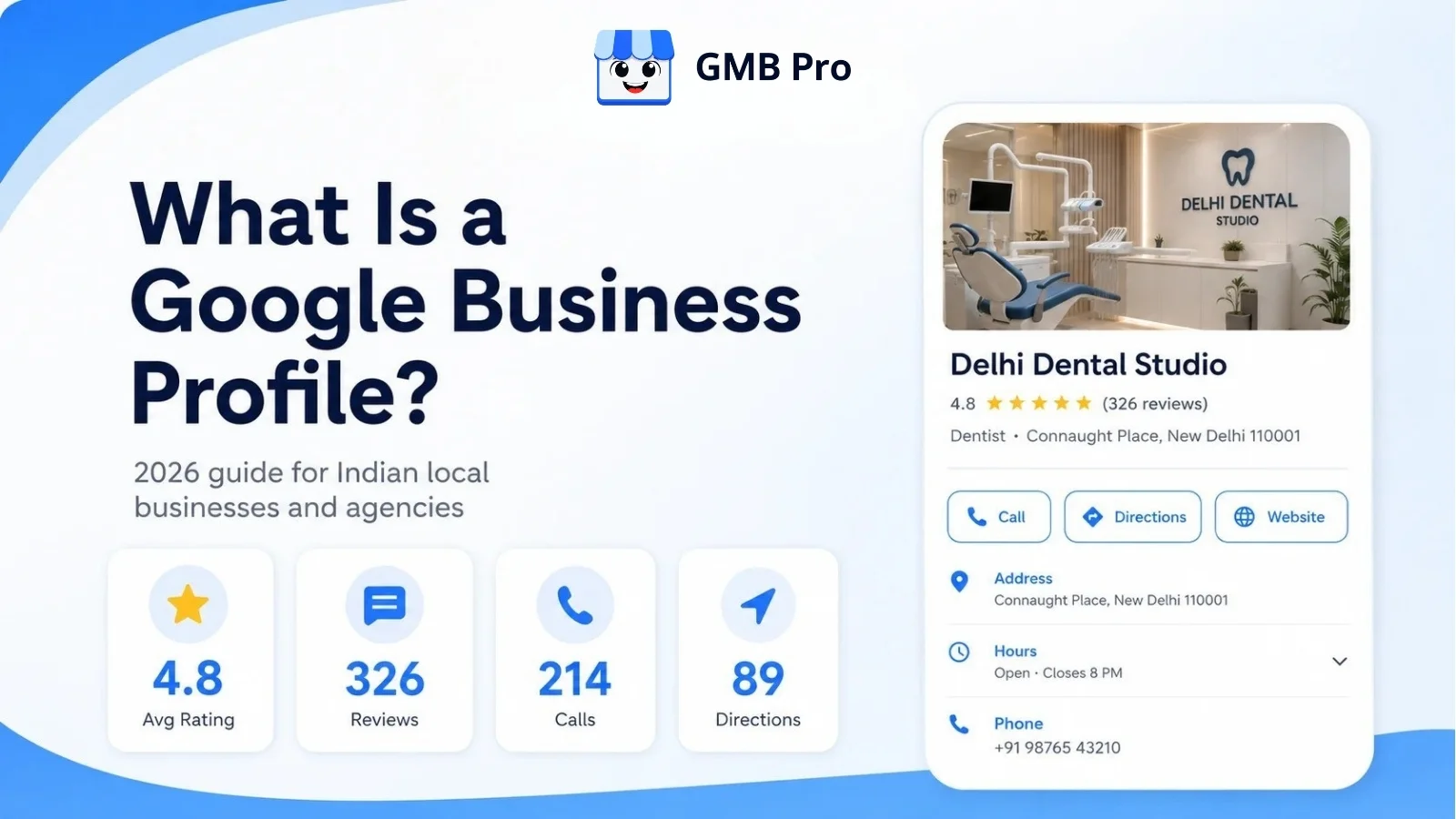
If your business has ever shown up on Google Maps with a star rating, a set of photos, and a call button, you have already seen a Google Business Profile in action. It is one of the most useful free tools a local business can have.In 2026, it matters even more because Google has started connecting Business Profile data with Gemini for eligible business owners. That means profile data can help owners understand reviews, customer questions, performance insights, and profile updates through an AI assistant.This guide explains what a Google Business Profile is, where it appears, what it can do, why it matters, and how to keep it accurate and active without spending hours every week.A Google Business Profile, or GBP, is a free profile from Google that helps businesses manage how they appear on Google Search and Google Maps. It can show a business name, address, phone number, hours, category, website, photos, reviews, posts, products, services, and customer actions in one place.Key TakeawaysA Google Business Profile is Google’s free profile for local visibility on Search and Maps.It was previously known as Google My Business. Google renamed it to Google Business Profile in November 2021.Google states that local search rankings are primarily influenced by relevance, distance, and prominence.In June 2026, Google announced a Gemini connection for Business Profile users, with gradual rollout and availability limits.A Business Profile is not a replacement for a website. The two should work together.Optimization is an ongoing habit, not a one-time setup task.What Is a Google Business Profile?A Google Business Profile is a free listing that businesses use to manage how they appear on Google Search and Google Maps. Search for “bakery near me” or “dentist in Mumbai,” and the business cards, map pins, review ratings, photos, hours, and call buttons you see are powered by Business Profile information.A profile can hold your business name, address, phone number, category, hours, website link, photos, videos, reviews, posts, products, services, questions and answers, messaging, and booking options where available.Customers use it to answer quick questions before they ever contact you:Is this business open right now?Is it close to me?Does it offer what I need?Can I call, message, book, or get directions in one tap?Do other customers trust this business?You do not build a Business Profile the same way you build a website. You claim or create it, verify that you own or manage the business, and then keep the information updated. Google can also use information from public sources, licensed data, users, and business owners to keep profiles current.From Google Places to Google My Business to Business ProfileGoogle first launched Local Business Center in 2005 as a free way for business owners to add, update, or remove their local business information. The local business product later moved through names such as Google Places and Google My Business.In November 2021, Google introduced Google Business Profile as the new name for Google My Business. In 2022, the standalone Google My Business mobile app stopped working, and Google moved day-to-day profile management into Google Search and Google Maps. That is why many people still say “GMB,” even though the current product name is Google Business Profile.Is a Google Business Profile the Same as a Website?No. A Google Business Profile lives inside Google and gives customers a fast snapshot of your business at the moment they are searching. A website lives on your own domain and can explain your services, pricing, portfolio, case studies, and lead forms in more depth.The strongest local businesses use both. The Business Profile earns the call, click, or direction request. The website supports deeper trust and conversion.Where a Google Business Profile Shows UpOne profile can appear across several Google surfaces. Knowing where it appears helps explain why accuracy matters.SurfaceWhat Customers SeeExample SearchGoogle Search local packA group of nearby businesses with ratings, hours, and a mapdentist near meGoogle Search knowledge panelA full profile panel with photos, hours, reviews, posts, Q&A, and actionsDelhi Dental StudioGoogle MapsA map pin, star rating, info card, photos, and directionscoffee shop in BengaluruGoogle Search AI experiencesAI-generated local answers may reflect profile data, reviews, web content, and other Google sourcesbest salon open now in PuneGemini app for ownersEligible owners can connect a verified Business Profile to ask questions about performance, reviews, and profile updatesHow did my business do this month?Google Business Profile Features ExplainedA profile is more than a name and address. These are the core features that matter for local visibility and customer action.1. Business InformationYour name, address, phone number, category, hours, and website link. This is the foundation on which everything else is built.Consistent and accurate information helps Google and customers understand where you are, what you do, and when you are available.2. Business Description and AttributesA short business description explains what you do in your own words. Attributes help highlight practical details such as accessibility, appointment options, amenities, and other features that may matter to customers.3. Photos and VideosReal photos of your storefront, team, products, services, and work in progress help customers picture what to expect. Recent, useful photos usually feel more trustworthy than a profile with only a logo.4. PostsPosts let you share updates, offers, and event details directly on your Business Profile. They are useful for keeping your profile fresh and giving customers a reason to take action.5. Products and ServicesProducts and services help structure what you sell or offer. Clear service names make it easier for customers to understand your business quickly.6. Reviews and RatingsCustomers can leave star ratings and written reviews, and you can reply publicly. Reviews are a major trust signal and a meaningful part of local reputation.7. Questions and AnswersCustomers can ask public questions about your business. Because other users may also answer, this section should be monitored regularly.8. Messaging and BookingsWhere available, customers can message a business or book through a connected provider without leaving Google.9. Performance DataGoogle shows customer interactions such as views, searches, calls, website clicks, direction requests, messages, and bookings where available.FeatureWhat It DoesWhy It MattersBusiness informationShows name, address, phone, hours, categoryBuilds relevance, accuracy, and trustPhotos and videosShows visual proof of the business and its workImproves customer confidence before contactPostsShares updates, offers, and eventsKeeps the profile active and usefulProducts and servicesLists specific offeringsHelps customers understand what you provideReviewsShows customer feedback and owner repliesBuilds trust and reputationAsk MapsHelps find places and directionsMakes travel easier and fasterMessaging and bookingsSupports direct customer actionReduces friction from discovery to enquiryPerformance dataShows views, clicks, calls, directions, and searchesHelps measure what is workingGoogle Business Profile vs Website vs Social MediaA Business Profile, a website, and social media all support local marketing, but they do different jobs. Treating them as the same thing is a common mistake.DetailsGoogle Business ProfileWebsiteSocial MediaPrimary purposeLocal discovery and quick decisionsDetailed information and conversionRelationship building and updatesWhere it livesGoogle Search and MapsYour own domainA third-party platformCostFreeHosting, design, and maintenance costsUsually free to post, paid to boostWho can edit itBusiness owner or manager, plus limited public suggested editsOnly the website owner or teamAccount adminsBest forNear me searches, calls, directions, quick checksService pages, booking flows, pricing, case studiesCommunity, brand voice, social proofThe best approach is to keep all three aligned. Your name, address, phone number, service details, and brand promise should match across your profile, website, and social channels.Why a Google Business Profile Matters in 2026Google says local search results are primarily influenced by three factors: relevance, distance, and prominence. Relevance refers to how closely your Business Profile matches the search query. Distance depends on the searcher’s location or the location specified in the search. Prominence reflects how well-known, established, and trusted your business appears to be. Google Business Profile HelpIndependent local SEO research also continues to place Business Profile signals among the most important local pack and Maps ranking factors. Whitespark’s 2026 Local Search Ranking Factors report includes Google Business Profile signals, review signals, on-page signals, links, behavioural signals, citations, personalization, and social signals as major factor groups. Whitespark 2026 Local Search Ranking FactorsReviews remain important, but consumer behavior has become more careful. BrightLocal’s historical data says trust in online reviews peaked in 2016 and 2017, when 84% of consumers trusted online reviews as much as personal recommendations. Its 2025 survey found that this figure had fallen to 42%, which means businesses need detailed, recent, and credible reviews rather than only a high star rating. BrightLocal historical trends | BrightLocal 2025 surveyPut simply, a website tells your story in detail, but a Google Business Profile captures the customer at the moment they are deciding whether to call, visit, book, or move on to a competitor.Real Google Business Profile ExamplesDifferent business types use a profile differently. Here is what a strong setup looks like across common local business categories in India. Business TypeStrong Profile SetupLocal RestaurantA restaurant in Mumbai can use menu links, food photos, table booking, weekly offer posts, and review replies to convert “near me” searches into visits.Home Service BusinessA plumber in Delhi or electrician in Bengaluru can use service-area settings, service lists, job photos, call actions, and fast review replies to build trust.Dental or Medical ClinicA clinic in Pune, Chennai, or Hyderabad should choose the most relevant category, clearly list its treatment services, showcase its team, add appointment-focused CTAs, and answer common first-visit questions in the Q&A section.Multi-location BrandA salon chain or clinic network across Delhi, Gurugram, Noida, and Mumbai needs location-wise hours, reviews, photos, reporting, and brand consistency.Weak vs Strong ProfileA weak profile has a generic category, old or stock photos, no recent updates, and unanswered reviews. A strong profile has a precise category, real photos, updated services, useful posts, and review replies within a few days.Who Can Create a Google Business ProfileNot every business qualifies for the same type of listing. Google’s eligibility rules are designed around businesses that have in-person contact with customers during stated hours.Businesses with a physical location customers can visit, such as stores, restaurants, clinics, and salons, can create a profile with a visible address.Service-area businesses, such as plumbers, cleaners, pest control providers, and mobile service providers, can create a profile and hide the exact address if customers are served at their location.Online-only brands, organisations, artists, and businesses without in-person customer contact are generally not eligible for a standard Business Profile.Google does not allow duplicate profiles for the same business location. Multi-location businesses should create one profile per real, eligible location.Google Business Profile and AI Search in 2026In June 2026, Google announced new Gemini app features for business owners, including a direct Google Business Profile connection and Business notebooks. Google says eligible owners will be able to connect a Business Profile to Gemini so it can use business context such as reviews, customer questions, and performance data. Google Gemini business announcementGoogle’s Gemini Help documentation also says the Business Profile connection can help owners update profile information, draft review replies, create posts, summarize customer feedback, and access business insights such as performance metrics and search keywords. Google notes that these features are rolling out gradually and may not be available to every eligible user yet. Gemini Apps HelpFor local businesses and agencies, the takeaway is practical. Keep profile data accurate, complete, and active. Whether the customer sees your profile in Search, Maps, or an AI-assisted interface, outdated hours, weak reviews, missing services, and unclear photos can still reduce trust.Google Business Profile Optimization BasicsYou do not need to do everything at once. These are the fundamentals that matter first.1. Choose the most accurate primary category, then add only relevant secondary categories.2. Keep your business name, address, and phone number consistent across your profile, website, and directory listings.3. Fill in regular hours, holiday hours, and special hours before they change.4. Add real photos regularly instead of relying only on a logo or stock image.5. List services and products individually with simple, customer-friendly names.6. Reply to every review, positive or negative, within a few days.7. Publish useful updates, offers, or events on a regular schedule.8. Review performance data monthly to understand calls, website clicks, directions, searches, and engagement.For a detailed walkthrough with checklists, category guidance, and a 30-day plan, read our Google Business Profile Optimization Guide.Common Mistakes and MythsMyth: “Google Business Profile costs money.” Creating and managing a profile is free.Third-party tools may charge for automation, but the profile itself is free.Myth: “Once it is set up, the work is done.” Profiles need regular updates, review replies, photos, and monitoring.Myth: “More categories always help.” Only relevant categories should be used.Myth: “Posts alone will rank my profile.” Posts are useful for engagement and freshness, but Google’s official local ranking guidance focuses on relevance, distance, and prominence.Mistake: stuffing keywords into the business name. Google expects the real-world business name.Mistake: ignoring suggested edits and Q&A. Users can suggest changes and answer questions, so profile monitoring is important.How GMB Pro Helps You Manage ItEverything above is simple in theory. In practice, staying consistent across posts, reviews, rankings, citations, and monthly reporting takes time. That is the gap GMB Pro is built to close.Run your Google Business Profile workflows from one dashboard GMB Pro helps agencies, freelancers, and local businesses automate Google Business Profile work across posts, review replies, local rank tracking, citations, reports, and local landing pages. It is built especially for teams managing multiple profiles and client locations.AI post scheduling: create and schedule Google Post ideas across profiles.Review management: draft and manage review replies from one place.Local rank tracking: monitor where each profile ranks for target keywords.Citation workflows: spot consistency gaps and directory opportunities.Client-ready reports: turn profile activity into clear monthly reporting.Local landing pages: create extra conversion paths beyond the profile.Whether you manage one location or dozens of client profiles, the goal is the same: keep every profile accurate, active, measurable, and easy for customers to trust. You can explore plans on the pricing page, start a 14-day free trial, or try the free Schema Generator and Google Review Poster tool.The Bottom LineA Google Business Profile is free, but it behaves like an active local marketing channel. It influences whether your business gets found in local searches, whether customers trust you enough to call, and whether your local presence stays consistent across Google Search and Maps.The features are easy to understand. The hard part is consistency. If you would rather automate that consistency, start a free 14-day trial with GMB Pro and review your profile performance from one dashboard.
Sachin Jangir
Co-Founder