
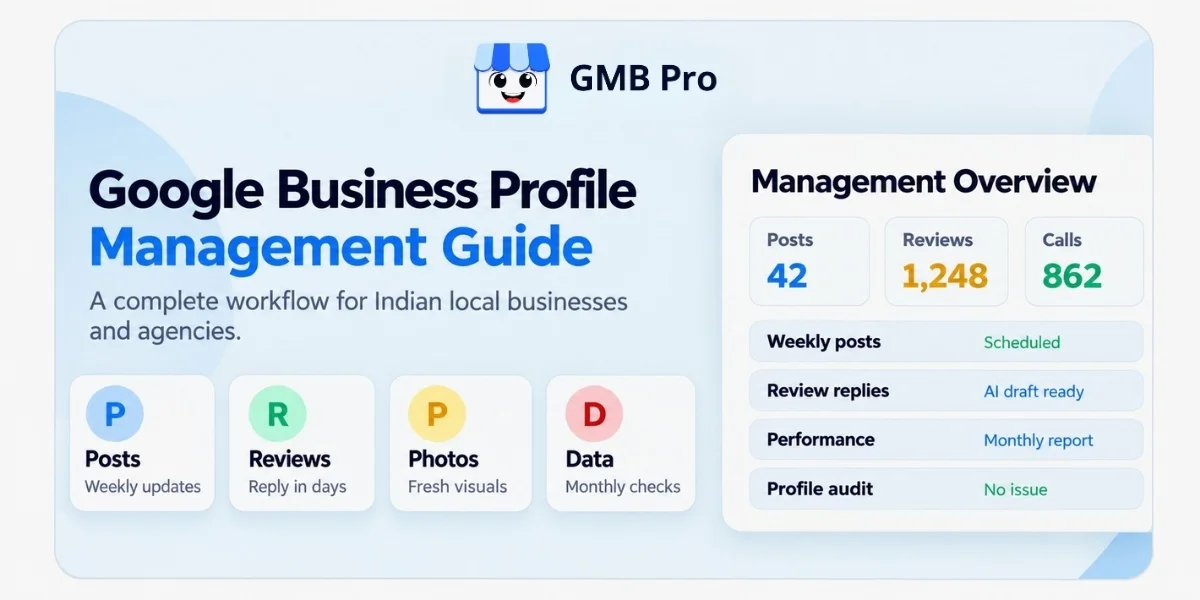
You can set up a Google Business Profile in just a few hours. Managing one well takes a system. The businesses that show up consistently in local search are not the ones that filled out every field once and walked away. They are the ones that treat the profile like a living page that needs attention every week.
This guide is the complete playbook for that ongoing work: posts, reviews, photos, services, performance data, local visibility, audits, and the weekly workflow that ties it all together.
It also covers what changed on the platform in 2024, 2025, and 2026, since several older management guides still describe features Google has retired or changed.
Google Business Profile management is the ongoing work of keeping a profile active and accurate after setup. It includes publishing useful posts, replying to reviews, refreshing photos, keeping services and hours current, checking Performance data, and auditing the listing for errors or unwanted edits. Done consistently, this weekly habit protects and improves local visibility. Done once and forgotten, even a well-optimized profile becomes stale.
Key Takeaways
- Management is different from optimization. Optimization gets the profile foundation right. Management keeps it active, accurate, and protected over time.
- Google says Business Profiles are free to create and manage on Google Search and Maps.
- Google primarily considers relevance, distance, and prominence when determining local search results.
- Google Business Profile chat and call history were discontinued on July 31, 2024.
- Google officially discontinued the My Business Q&A API on November 3, 2025. In 2026, businesses should focus on accurate profile fields, website FAQs, reviews, and Ask Maps readiness rather than static Q&A management.
- Google Posts do not expire after seven days anymore. Google archives posts after six months unless a specific date range is added.
- Google introduced a Business Profile connection for Gemini in June 2026, with gradual rollout and eligibility limits.
Optimization vs Management: What's the Difference?
These two words get used interchangeably, but they describe different work. If you want the full walkthrough of getting a profile field, category, and initial content right, read our Google Business Profile Optimization Guide. For a plain definition of what a profile is, start with What Is a Google Business Profile?.
| Area | Optimization | Management |
|---|---|---|
| Frequency | Mostly one-time, revisited occasionally | Ongoing, weekly and monthly |
| Typical tasks | Category selection, description, initial photos, attributes | Posts, review replies, photo refreshes, audits, performance checks |
| Goal | Give the profile a strong foundation | Keep the profile active, accurate, and protected over time |
| What happens if skipped | The profile starts with weak signals and unclear information | The profile goes stale, errors creep in, and active competitors can pull ahead |
The Google Business Profile Management Cadence
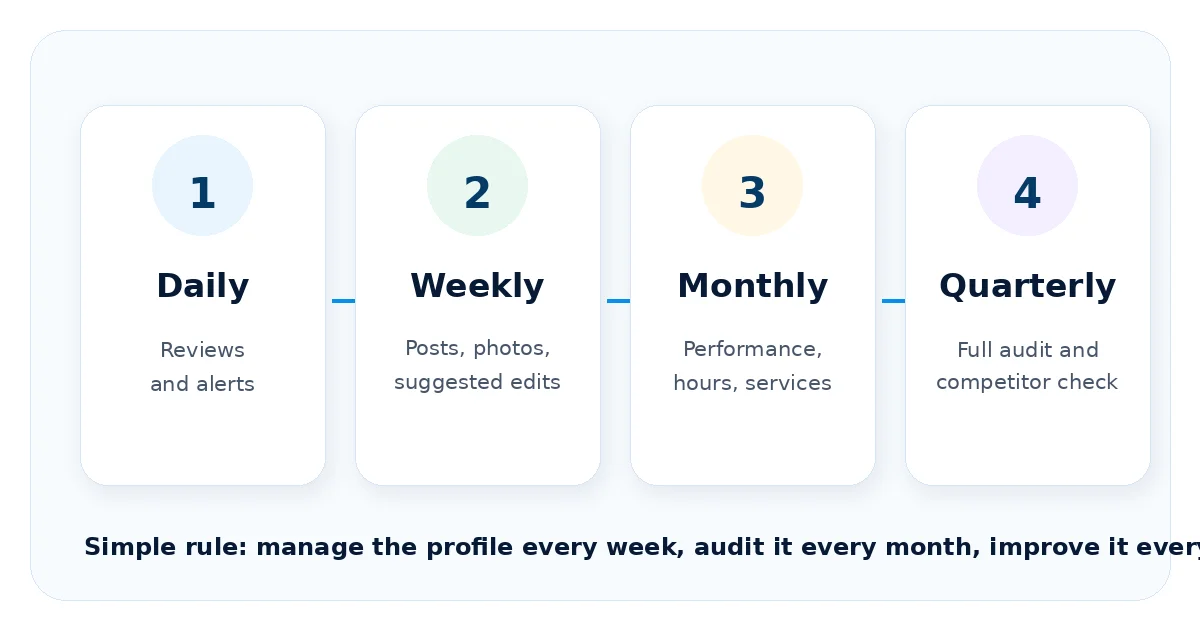
Most confusion around GBP management comes from not knowing how often to do each task. A simple cadence covers the essentials without turning the profile into a full-time job.
| Frequency | Tasks |
|---|---|
| Daily or every other day | Check for new reviews. Watch for alerts, suggested edits, and urgent profile issues. |
| Weekly | Publish a useful post, add one or two fresh photos, and scan the profile for outdated information. |
| Monthly | Review Performance data, confirm hours and contact details, check services, review rating trends, and compare with nearby competitors. |
| Quarterly | Run a full profile audit, review categories and service areas, clean up inconsistencies, and update the local SEO plan. |
Managing Posts
Google Posts are short updates that appear on a Business Profile in Search and Maps. They can share business updates, offers, news, and events with customers at the moment they are deciding what to do next.
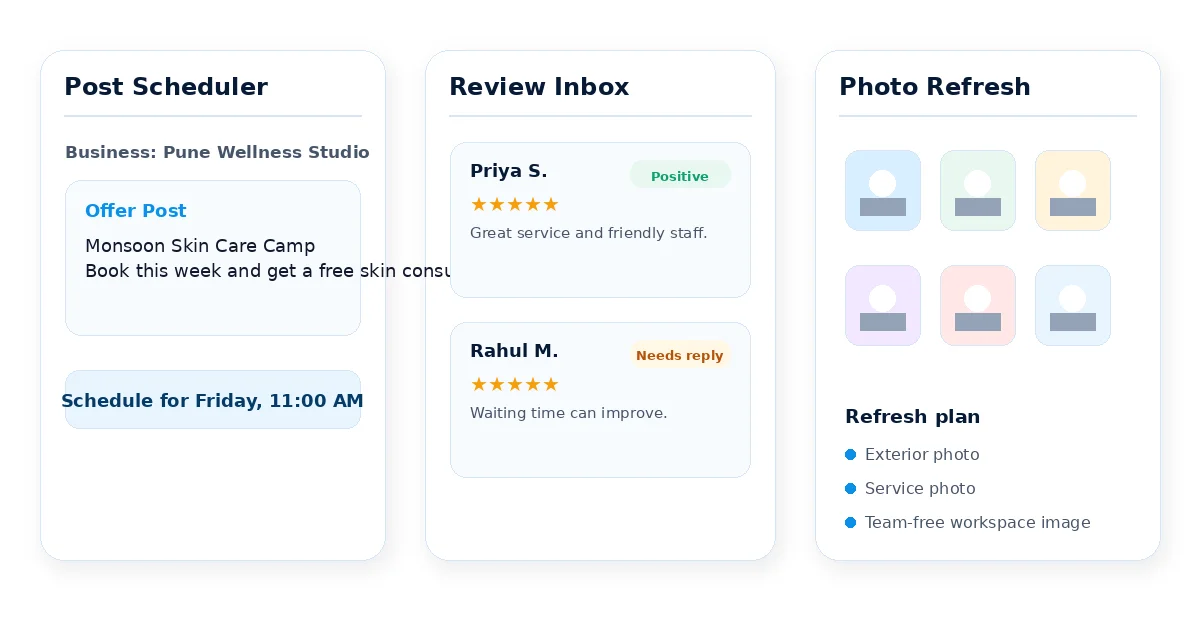
- Use update posts for general news, new offerings, announcements, and seasonal information.
- Use offer posts for discounts or promotions that need dates and terms.
- Use event posts for activities with a clear start and end date, such as workshops, sales, classes, or in-store events.
A good post includes a clear image, a short description, and a specific action. Google says posts can include text, photos, videos, and action buttons, and posts older than six months are archived unless a date range is set. Weekly posting is still a useful management habit, but the reason is freshness and customer communication, not a seven-day expiration rule.
Managing Reviews
Reviews are the part of profile management with the clearest connection to customer trust. Managing them well means three habits: collect real reviews, reply with care, and watch review velocity over time.
Collecting Reviews
Ask satisfied customers directly, ideally after a good experience. A direct review link or in-store QR code removes friction and makes it easier for customers to follow through.
Responding to Reviews
Reply to reviews within a few days, both positive and negative. A short, genuine thank-you builds trust. A calm response to a negative review shows future customers how you handle issues.
Watching Review Velocity
A steady flow of reviews over time usually feels more trustworthy than a large batch followed by months of silence. If new reviews have gone quiet, restart the review collection process instead of waiting for customers to act on their own.
Managing Photos and Videos
Photos and videos help customers understand what to expect before they call, visit, or book. The strongest profiles use real business images, not generic stock photos.
- Add exterior photos to help customers easily identify your location.
- Add interior photos so people understand the space and experience.
- Add product, service, or work-in-progress photos where relevant.
- Refresh photos every few weeks, especially after renovations, seasonal changes, new products, or service updates.
- Avoid outdated photos that no longer match the real customer experience.
Managing Services and Service Areas
Three fields often get mixed together: category, services, and service areas. Managing them correctly helps Google and customers understand what the business actually does.
- Category is how Google classifies the business for discovery. It must be chosen from Google predefined categories.
- Services are the specific things the business offers, such as drain cleaning, teeth whitening, bridal makeup, or AC repair.
- Service areas are the geographic areas served by businesses that visit customers at their locations.
Google says service-area and hybrid businesses can list up to 20 service areas based on cities, postal codes, or other areas served. Managing this section means updating services and service areas when the business changes, not leaving them untouched after signup.
Managing Performance Data
Google Business Profile Performance data helps you understand how customers discover and interact with your profile. Available metrics can vary by business type and feature availability.
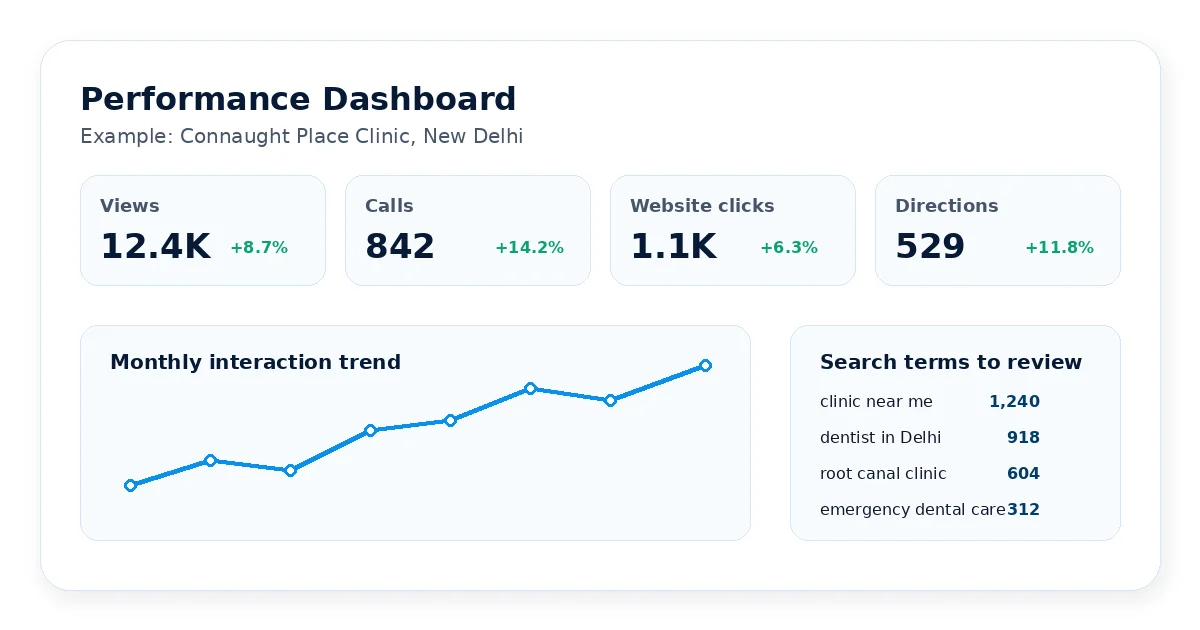
- Search and visibility data help you understand how people discover the profile.
- Customer actions such as calls, website clicks, and direction requests show intent.
- Messages and bookings may appear where those features are available.
- Search keywords help identify terms people used to find the profile.
Check Performance data monthly. The useful habit is not staring at raw numbers, but watching trends: did calls rise after a service update, did direction requests dip after a holiday hour error, or did website clicks improve after adding clearer photos and posts?
Managing Local Visibility
Google says local ranking is mainly based on relevance, distance, and prominence. Distance is mostly outside your control, but relevance and prominence are shaped by accurate information, complete services, fresh content, reviews, citations, and website alignment.
- NAP consistency: keep business name, address, and phone number consistent across your profile, website, and directory listings.
- Citations: maintain accurate business listings on relevant directories and local platforms.
- Website alignment: make sure your website says the same thing about services, locations, hours, and contact details as your profile.
- Review freshness: keep collecting real reviews and replying consistently.
What Changed in 2024, 2025, and 2026
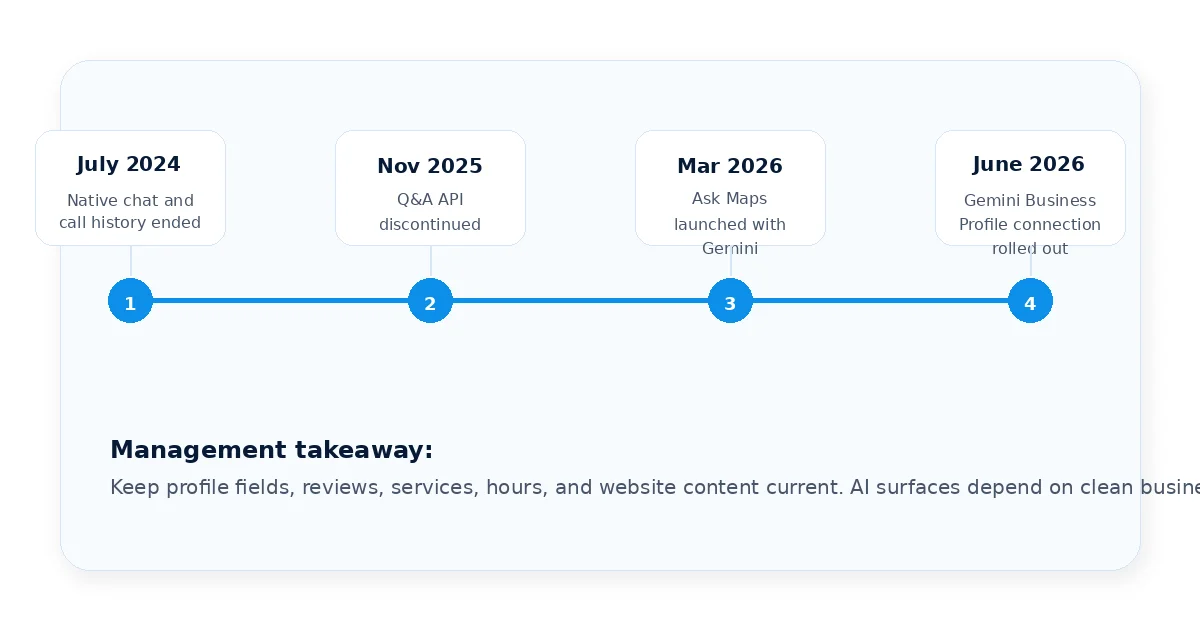
A management guide is only useful if it reflects how the platform works today. These are the major updates that affect management workflows in 2026.
Native Chat and Call History Ended
Google Business Profile chat and call history were discontinued on July 31, 2024. Businesses should rely on visible phone, website, booking, and other verified contact options instead of assuming native chat will be available.
The Q&A API Was Discontinued
Google discontinued the My Business Q&A API on November 3, 2025. Public Q&A visibility and management have changed across profiles. The safest 2026 approach is to answer common questions through website FAQ content, complete profile fields, updated services, helpful posts, and strong reviews.
Ask Maps and Gemini Changed Local Discovery
Google launched Ask Maps in March 2026 as a Gemini-powered conversational experience in Google Maps. Google also announced a Business Profile connection for Gemini in June 2026. These changes make accurate profile data more important because AI-assisted experiences can use business details, reviews, questions, performance signals, and website context.
Auditing Your Profile
A Google Business Profile is never fully static. Google users can suggest edits, add photos, leave reviews, and create signals around your business. A recurring audit catches issues before they mislead customers or weaken trust.
- Confirm core information: business name, address, phone number, hours, and category.
- Check for suggested edits and review anything that looks incorrect.
- Review services and service areas for outdated or missing information.
- Scan recent photos and posts for freshness and accuracy.
- Check for unanswered reviews, especially older negative reviews.
- Compare the profile with two or three strong local competitors.
A monthly light check plus a deeper quarterly audit is a practical rhythm for most businesses. Agencies managing many locations usually need automation because manual auditing becomes slow and inconsistent at scale.
Building a Management Workflow
Who manages the profile depends on the size of the business. The responsibility should be clear, because unclear ownership is one of the biggest reasons profiles become stale.
| Business Type | Management Workflow |
|---|---|
| Single-Location Owner | The owner or one staff member can usually manage the profile in 20 to 30 minutes a week using a simple checklist. |
| Small Team or Multi-Location Business | A marketing coordinator or shared team member should manage content, reviews, photos, and reporting across locations. |
| Agency Managing Client Profiles | Agencies need standardized workflows, central alerts, and automated reporting so the workload does not grow linearly with each client. |
| Enterprise or Franchise Brand | Larger brands need central control, location-level flexibility, role-based access, and consistent reporting across all branches. |
Common Management Mistakes
- Treating setup as the finish line instead of starting an ongoing management habit.
- Ignoring suggested edits and profile alerts.
- Letting reviews pile up unanswered.
- Assuming retired or limited features, such as native chat or old Q&A workflows, still work the same way.
- Never checking Performance trends.
- Managing multiple locations entirely by hand after the workload has outgrown manual tracking.
Automating the Workflow
Everything above is simple individually. The challenge is doing it every week, for every location, without it quietly slipping. That is the exact problem GMB Pro is built to solve.
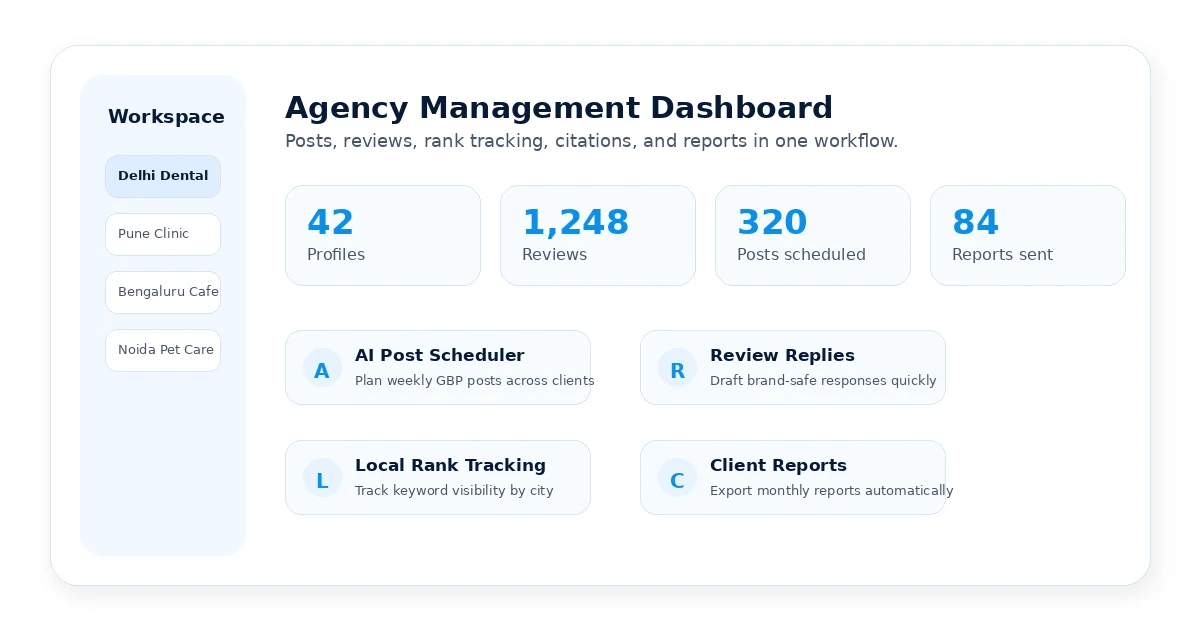
- AI post scheduling: create and schedule Google Post ideas across profiles.
- Review management: draft and manage review replies from one place.
- Local rank tracking: monitor where each profile ranks for target keywords.
- Citation workflows: spot consistency gaps and directory opportunities.
- Client-ready reports: turn profile activity into clear monthly reporting.
- Local landing pages: create extra conversion paths beyond the profile.
Whether you manage one location or fifty, the principle is the same: a Google Business Profile performs best when it is treated as an active asset. To start from the beginning, use the Google Business Profile Optimization Guide. To automate the workflow, start a free 14-day trial with GMB Pro.
The Bottom Line
A Google Business Profile is not a listing you finish. It is a local marketing asset that keeps working only when the business keeps showing up for it.
The rhythm is simple: publish useful updates, respond to reviews, refresh photos, monitor Performance data, and audit the profile regularly. The hard part is consistency, especially after one location becomes many.
If you would rather automate that workflow than manage it one task at a time, GMB Pro gives you one dashboard for posts, reviews, rankings, citations, and reports.
Fact-Check Sources Reviewed
| Source | What Was Verified |
|---|---|
| Google Business Profile official pages | Free profile, Search and Maps management, local ranking factors, posts, service areas, performance metrics, and discontinued chat/call history. |
| Google Developers Business Profile Q&A API changelog | Q&A API discontinuation date: November 3, 2025. |
| Google Maps and Gemini official announcements | Ask Maps launch and Gemini Business Profile connection with gradual rollout and eligibility limits. |
| Uploaded source blog | Original structure, internal links, topic framing, and core blog intent were retained while outdated details were corrected. |