
If your business has ever shown up on Google Maps with a star rating, a set of photos, and a call button, you have already seen a Google Business Profile in action. It is one of the most useful free tools a local business can have.
In 2026, it matters even more because Google has started connecting Business Profile data with Gemini for eligible business owners. That means profile data can help owners understand reviews, customer questions, performance insights, and profile updates through an AI assistant.
This guide explains what a Google Business Profile is, where it appears, what it can do, why it matters, and how to keep it accurate and active without spending hours every week.
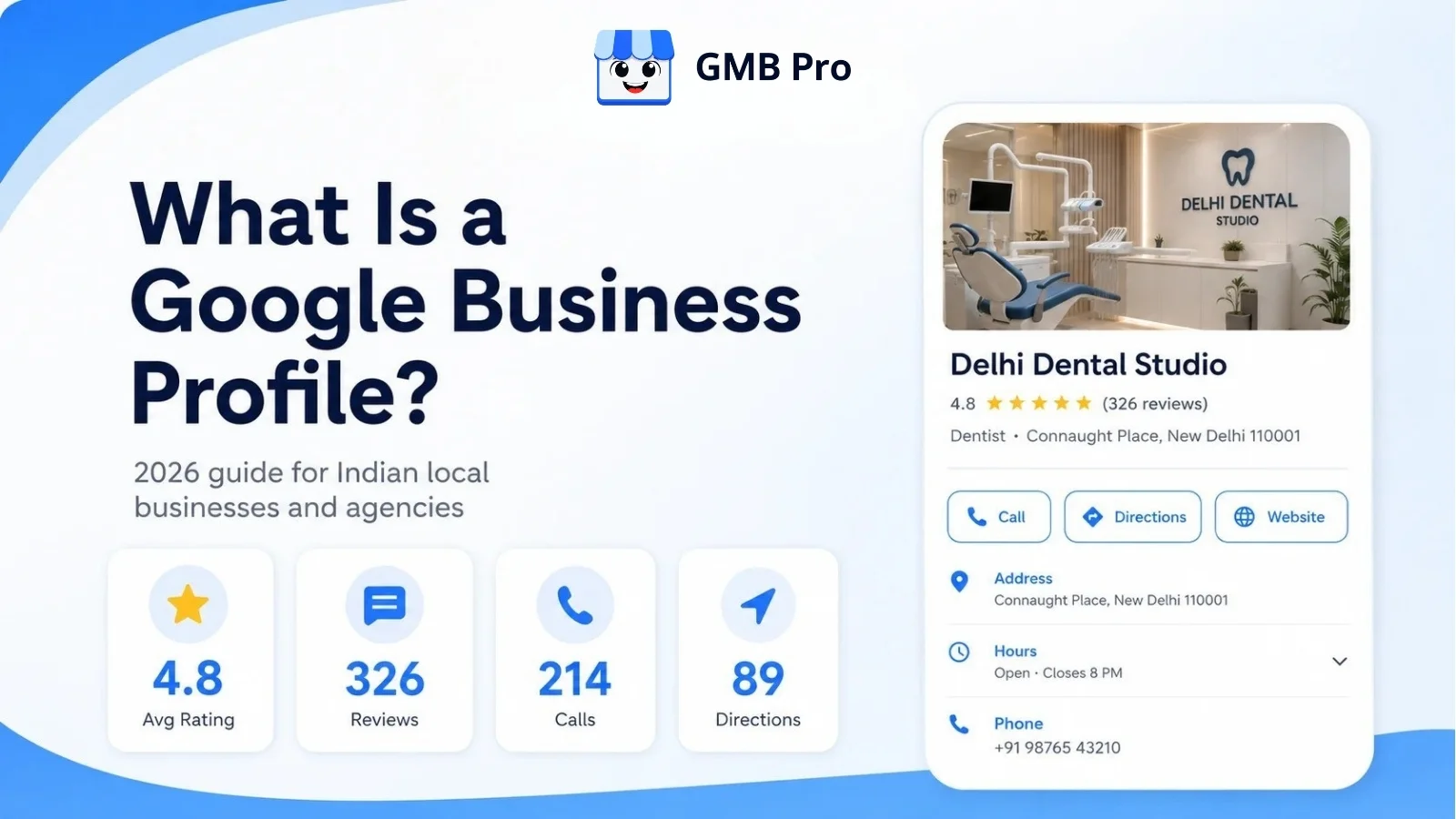
A Google Business Profile, or GBP, is a free profile from Google that helps businesses manage how they appear on Google Search and Google Maps. It can show a business name, address, phone number, hours, category, website, photos, reviews, posts, products, services, and customer actions in one place.
Key Takeaways
- A Google Business Profile is Google’s free profile for local visibility on Search and Maps.
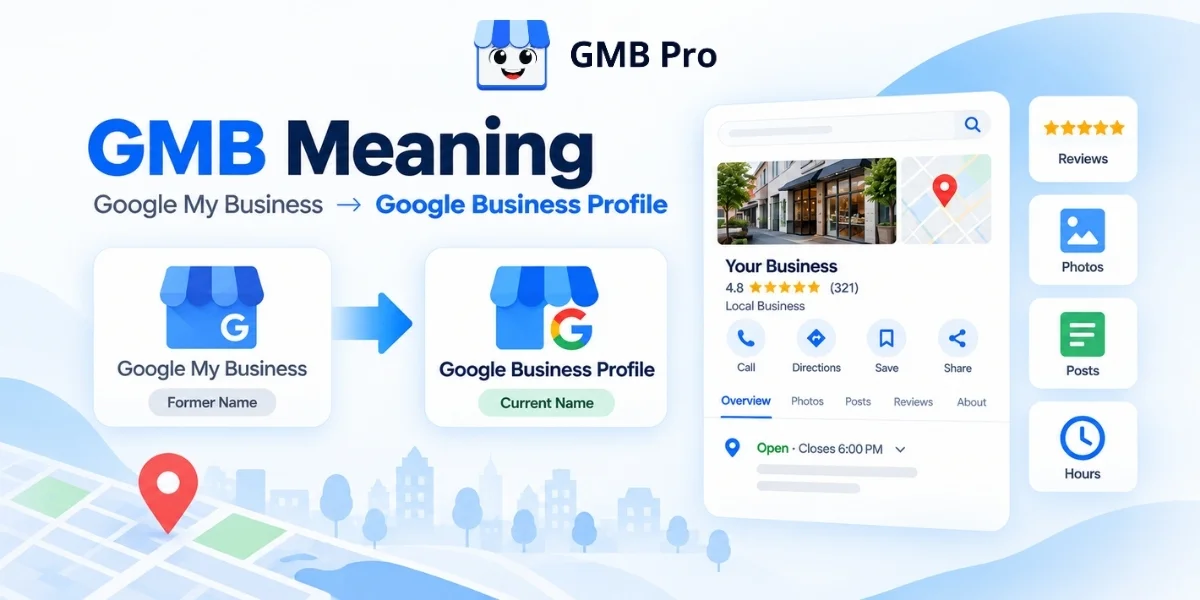
- It was previously known as Google My Business. Google renamed it to Google Business Profile in November 2021.
- Google states that local search rankings are primarily influenced by relevance, distance, and prominence.
- In June 2026, Google announced a Gemini connection for Business Profile users, with gradual rollout and availability limits.
- A Business Profile is not a replacement for a website. The two should work together.
- Optimization is an ongoing habit, not a one-time setup task.
What Is a Google Business Profile?
A Google Business Profile is a free listing that businesses use to manage how they appear on Google Search and Google Maps. Search for “bakery near me” or “dentist in Mumbai,” and the business cards, map pins, review ratings, photos, hours, and call buttons you see are powered by Business Profile information.
A profile can hold your business name, address, phone number, category, hours, website link, photos, videos, reviews, posts, products, services, questions and answers, messaging, and booking options where available.
Customers use it to answer quick questions before they ever contact you:
- Is this business open right now?
- Is it close to me?
- Does it offer what I need?
- Can I call, message, book, or get directions in one tap?
- Do other customers trust this business?
You do not build a Business Profile the same way you build a website. You claim or create it, verify that you own or manage the business, and then keep the information updated. Google can also use information from public sources, licensed data, users, and business owners to keep profiles current.
From Google Places to Google My Business to Business Profile
Google first launched Local Business Center in 2005 as a free way for business owners to add, update, or remove their local business information. The local business product later moved through names such as Google Places and Google My Business.
In November 2021, Google introduced Google Business Profile as the new name for Google My Business. In 2022, the standalone Google My Business mobile app stopped working, and Google moved day-to-day profile management into Google Search and Google Maps. That is why many people still say “GMB,” even though the current product name is Google Business Profile.
Is a Google Business Profile the Same as a Website?
No. A Google Business Profile lives inside Google and gives customers a fast snapshot of your business at the moment they are searching. A website lives on your own domain and can explain your services, pricing, portfolio, case studies, and lead forms in more depth.
The strongest local businesses use both. The Business Profile earns the call, click, or direction request. The website supports deeper trust and conversion.
Where a Google Business Profile Shows Up
One profile can appear across several Google surfaces. Knowing where it appears helps explain why accuracy matters.
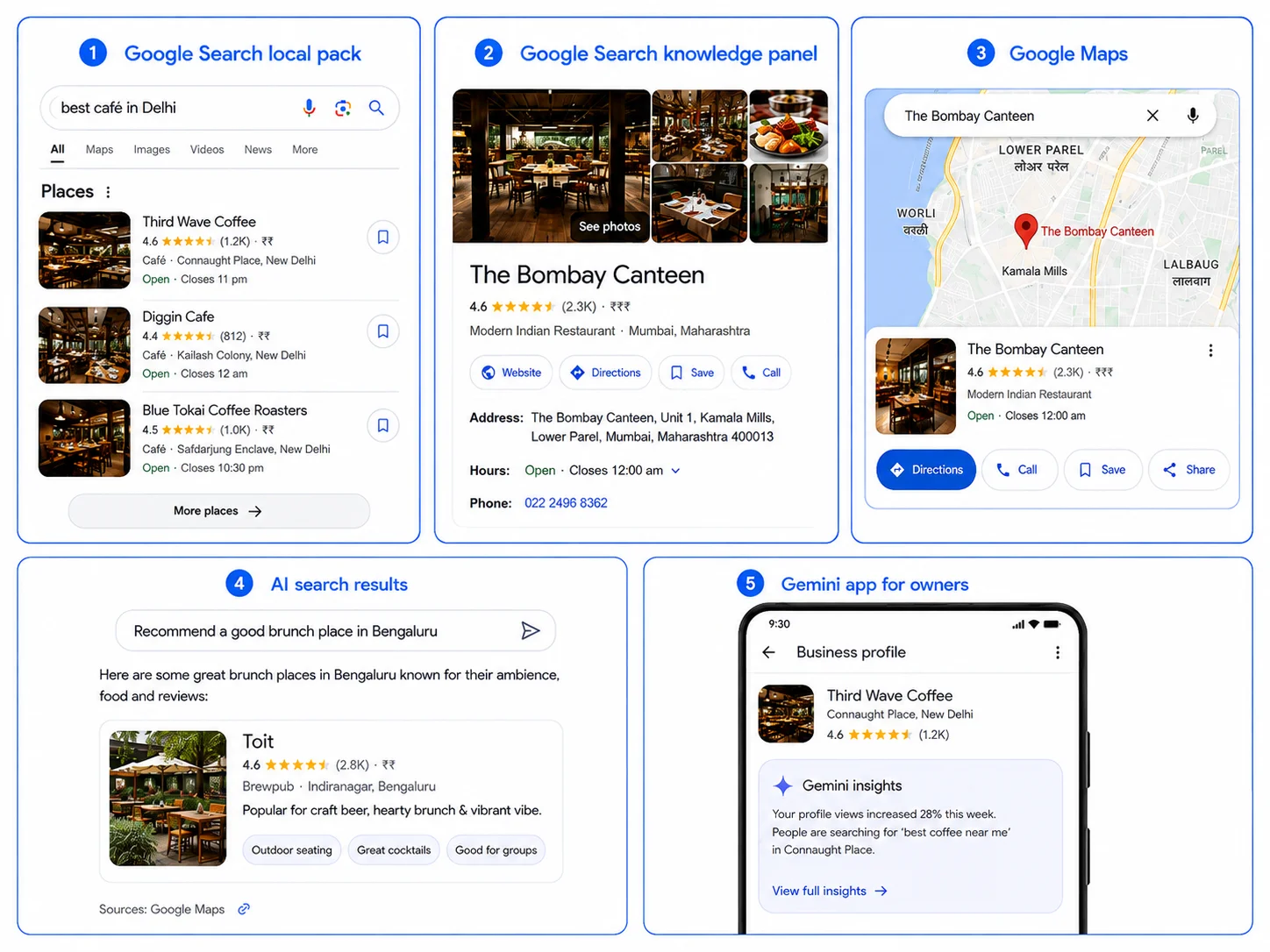
| Surface | What Customers See | Example Search |
|---|---|---|
| Google Search local pack | A group of nearby businesses with ratings, hours, and a map | dentist near me |
| Google Search knowledge panel | A full profile panel with photos, hours, reviews, posts, Q&A, and actions | Delhi Dental Studio |
| Google Maps | A map pin, star rating, info card, photos, and directions | coffee shop in Bengaluru |
| Google Search AI experiences | AI-generated local answers may reflect profile data, reviews, web content, and other Google sources | best salon open now in Pune |
| Gemini app for owners | Eligible owners can connect a verified Business Profile to ask questions about performance, reviews, and profile updates | How did my business do this month? |
Google Business Profile Features Explained
A profile is more than a name and address. These are the core features that matter for local visibility and customer action.
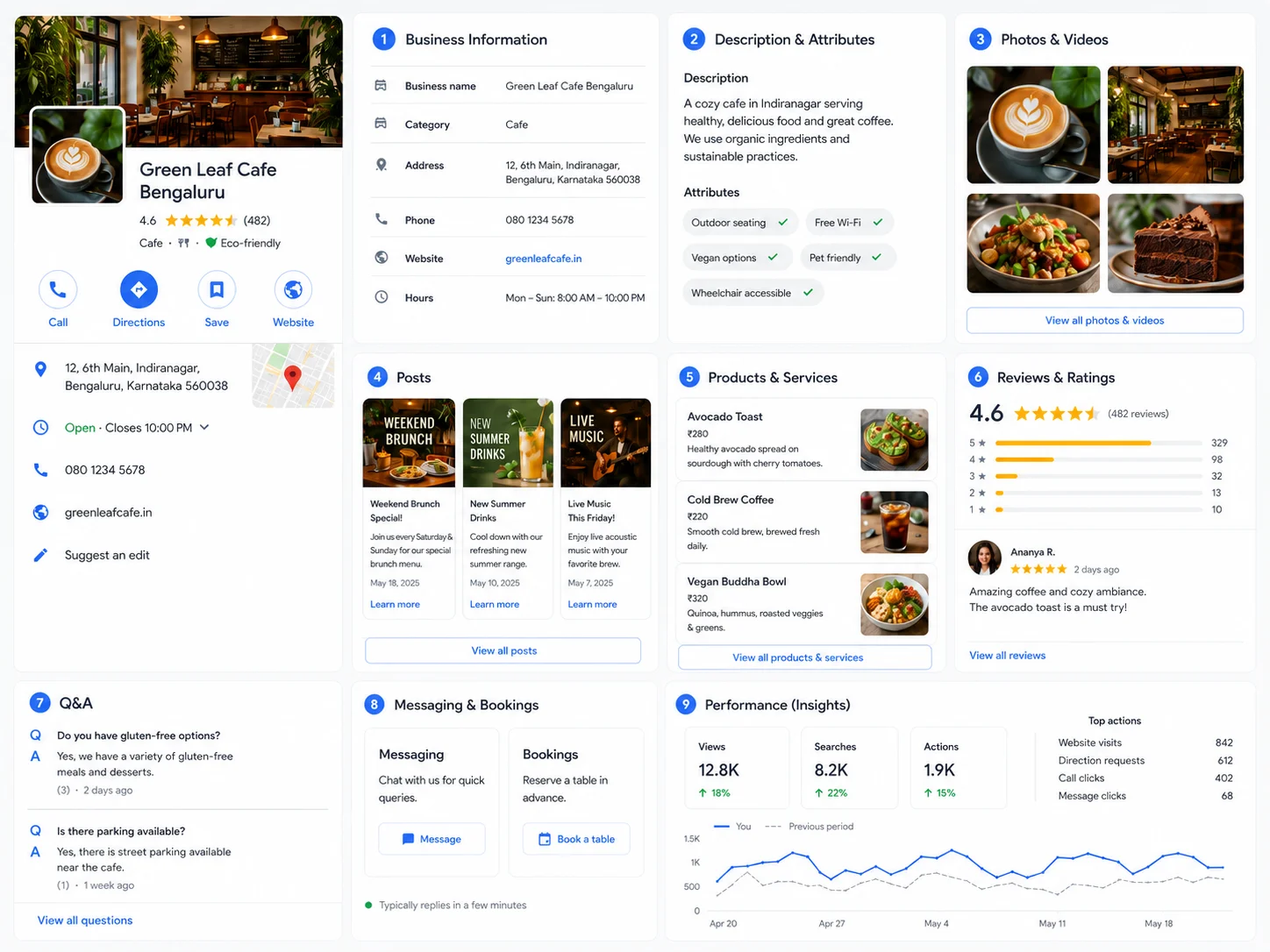
1. Business Information
Your name, address, phone number, category, hours, and website link. This is the foundation on which everything else is built.Consistent and accurate information helps Google and customers understand where you are, what you do, and when you are available.
2. Business Description and Attributes
A short business description explains what you do in your own words. Attributes help highlight practical details such as accessibility, appointment options, amenities, and other features that may matter to customers.
3. Photos and Videos
Real photos of your storefront, team, products, services, and work in progress help customers picture what to expect. Recent, useful photos usually feel more trustworthy than a profile with only a logo.
4. Posts
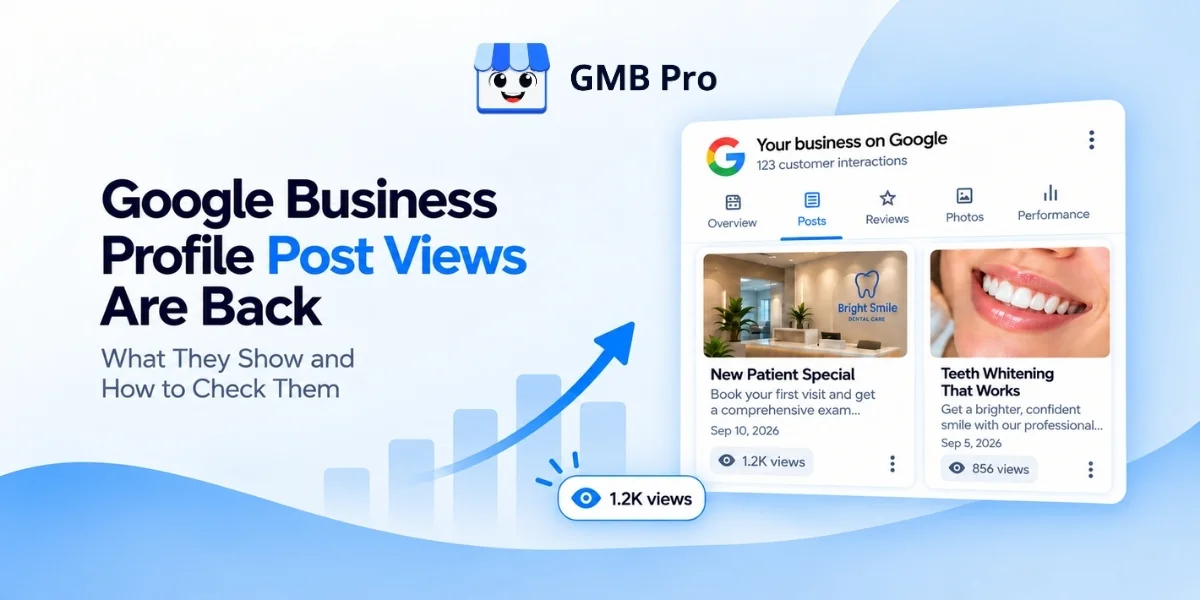
Posts let you share updates, offers, and event details directly on your Business Profile. They are useful for keeping your profile fresh and giving customers a reason to take action.
5. Products and Services
Products and services help structure what you sell or offer. Clear service names make it easier for customers to understand your business quickly.
6. Reviews and Ratings
Customers can leave star ratings and written reviews, and you can reply publicly. Reviews are a major trust signal and a meaningful part of local reputation.
7. Questions and Answers
Customers can ask public questions about your business. Because other users may also answer, this section should be monitored regularly.
8. Messaging and Bookings
Where available, customers can message a business or book through a connected provider without leaving Google.
9. Performance Data
Google shows customer interactions such as views, searches, calls, website clicks, direction requests, messages, and bookings where available.
| Feature | What It Does | Why It Matters |
|---|---|---|
| Business information | Shows name, address, phone, hours, category | Builds relevance, accuracy, and trust |
| Photos and videos | Shows visual proof of the business and its work | Improves customer confidence before contact |
| Posts | Shares updates, offers, and events | Keeps the profile active and useful |
| Products and services | Lists specific offerings | Helps customers understand what you provide |
| Reviews | Shows customer feedback and owner replies | Builds trust and reputation |
| Ask Maps | Helps find places and directions | Makes travel easier and faster |
| Messaging and bookings | Supports direct customer action | Reduces friction from discovery to enquiry |
| Performance data | Shows views, clicks, calls, directions, and searches | Helps measure what is working |
Google Business Profile vs Website vs Social Media
A Business Profile, a website, and social media all support local marketing, but they do different jobs. Treating them as the same thing is a common mistake.
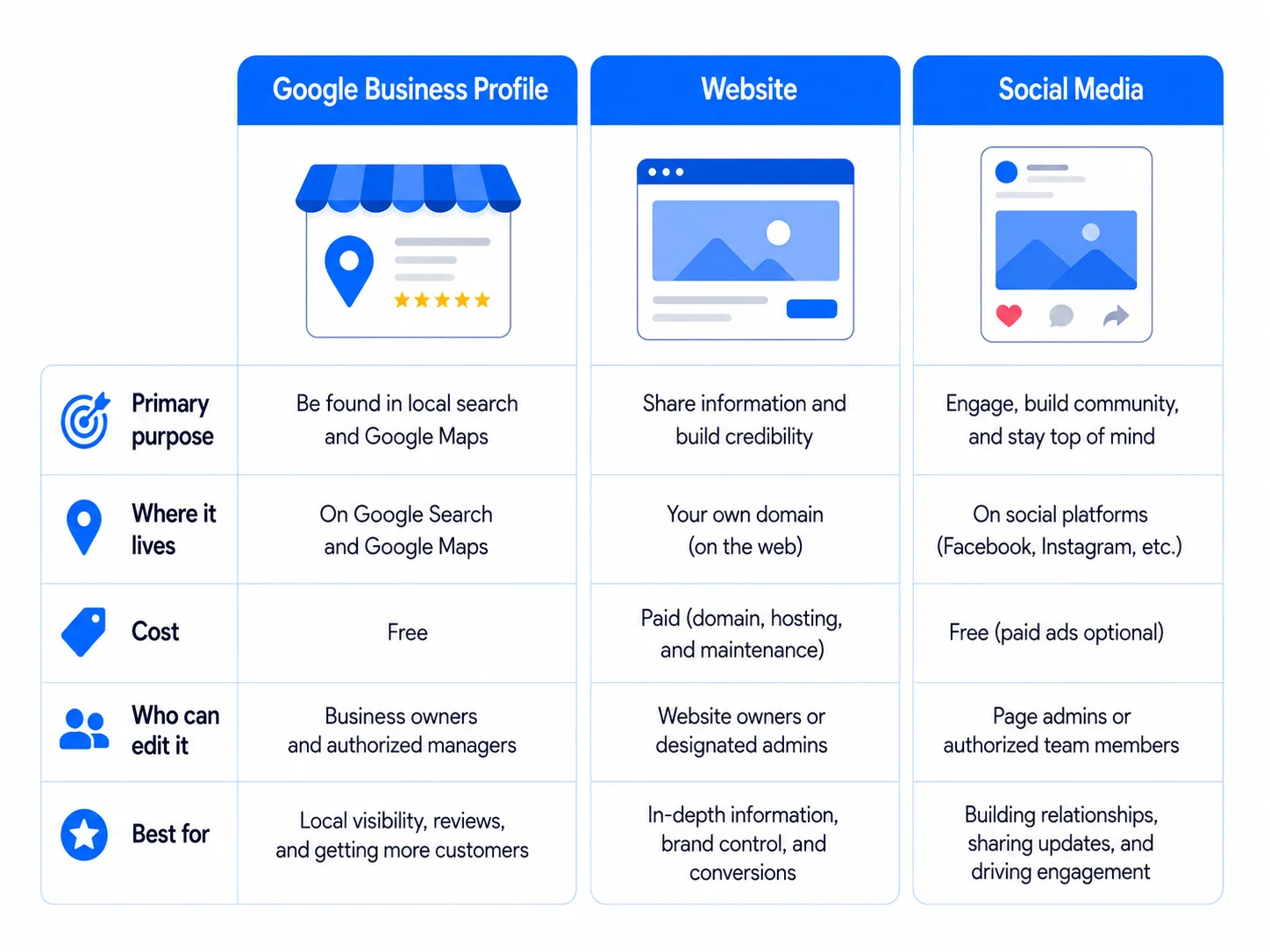
| Details | Google Business Profile | Website | Social Media |
|---|---|---|---|
| Primary purpose | Local discovery and quick decisions | Detailed information and conversion | Relationship building and updates |
| Where it lives | Google Search and Maps | Your own domain | A third-party platform |
| Cost | Free | Hosting, design, and maintenance costs | Usually free to post, paid to boost |
| Who can edit it | Business owner or manager, plus limited public suggested edits | Only the website owner or team | Account admins |
| Best for | Near me searches, calls, directions, quick checks | Service pages, booking flows, pricing, case studies | Community, brand voice, social proof |
The best approach is to keep all three aligned. Your name, address, phone number, service details, and brand promise should match across your profile, website, and social channels.
Why a Google Business Profile Matters in 2026
Google says local search results are primarily influenced by three factors: relevance, distance, and prominence. Relevance refers to how closely your Business Profile matches the search query. Distance depends on the searcher’s location or the location specified in the search. Prominence reflects how well-known, established, and trusted your business appears to be. Google Business Profile Help
Independent local SEO research also continues to place Business Profile signals among the most important local pack and Maps ranking factors. Whitespark’s 2026 Local Search Ranking Factors report includes Google Business Profile signals, review signals, on-page signals, links, behavioural signals, citations, personalization, and social signals as major factor groups. Whitespark 2026 Local Search Ranking Factors.
Reviews remain important, but consumer behavior has become more careful. BrightLocal’s historical data says trust in online reviews peaked in 2016 and 2017, when 84% of consumers trusted online reviews as much as personal recommendations. Its 2025 survey found that this figure had fallen to 42%, which means businesses need detailed, recent, and credible reviews rather than only a high star rating. BrightLocal historical trends | BrightLocal 2025 survey
Put simply, a website tells your story in detail, but a Google Business Profile captures the customer at the moment they are deciding whether to call, visit, book, or move on to a competitor.
Real Google Business Profile Examples
Different business types use a profile differently. Here is what a strong setup looks like across common local business categories in India.
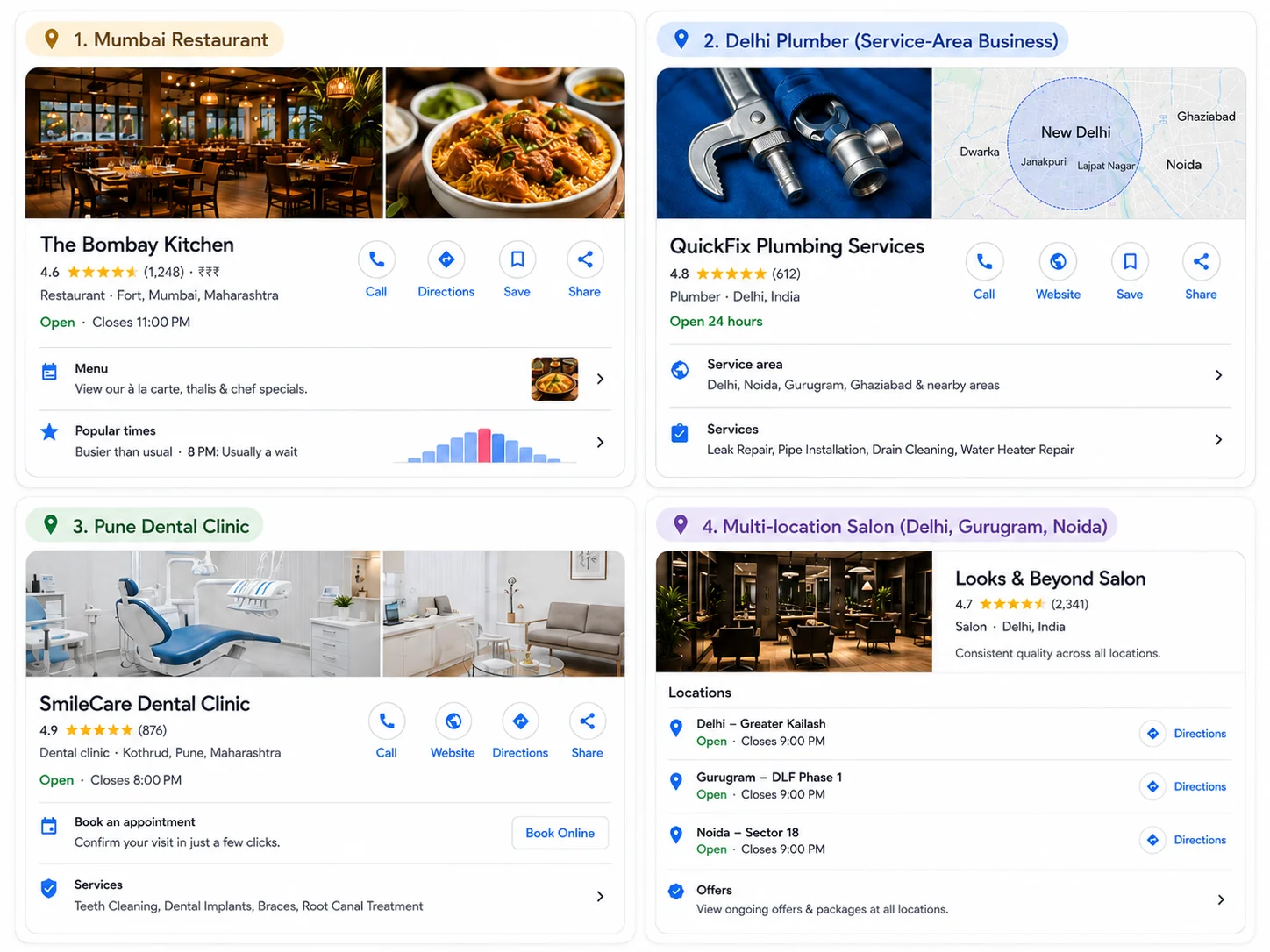
| Business Type | Strong Profile Setup |
|---|---|
| Local Restaurant | A restaurant in Mumbai can use menu links, food photos, table booking, weekly offer posts, and review replies to convert “near me” searches into visits. |
| Home Service Business | A plumber in Delhi or electrician in Bengaluru can use service-area settings, service lists, job photos, call actions, and fast review replies to build trust. |
| Dental or Medical Clinic | A clinic in Pune, Chennai, or Hyderabad should choose the most relevant category, clearly list its treatment services, showcase its team, add appointment-focused CTAs, and answer common first-visit questions in the Q&A section. |
| Multi-location Brand | A salon chain or clinic network across Delhi, Gurugram, Noida, and Mumbai needs location-wise hours, reviews, photos, reporting, and brand consistency. |
| Weak vs Strong Profile | A weak profile has a generic category, old or stock photos, no recent updates, and unanswered reviews. A strong profile has a precise category, real photos, updated services, useful posts, and review replies within a few days. |
Who Can Create a Google Business Profile
Not every business qualifies for the same type of listing. Google’s eligibility rules are designed around businesses that have in-person contact with customers during stated hours.
- Businesses with a physical location customers can visit, such as stores, restaurants, clinics, and salons, can create a profile with a visible address.
- Service-area businesses, such as plumbers, cleaners, pest control providers, and mobile service providers, can create a profile and hide the exact address if customers are served at their location.
- Online-only brands, organisations, artists, and businesses without in-person customer contact are generally not eligible for a standard Business Profile.
- Google does not allow duplicate profiles for the same business location. Multi-location businesses should create one profile per real, eligible location.
Google Business Profile and AI Search in 2026
In June 2026, Google announced new Gemini app features for business owners, including a direct Google Business Profile connection and Business notebooks. Google says eligible owners will be able to connect a Business Profile to Gemini so it can use business context such as reviews, customer questions, and performance data. Google Gemini business announcement
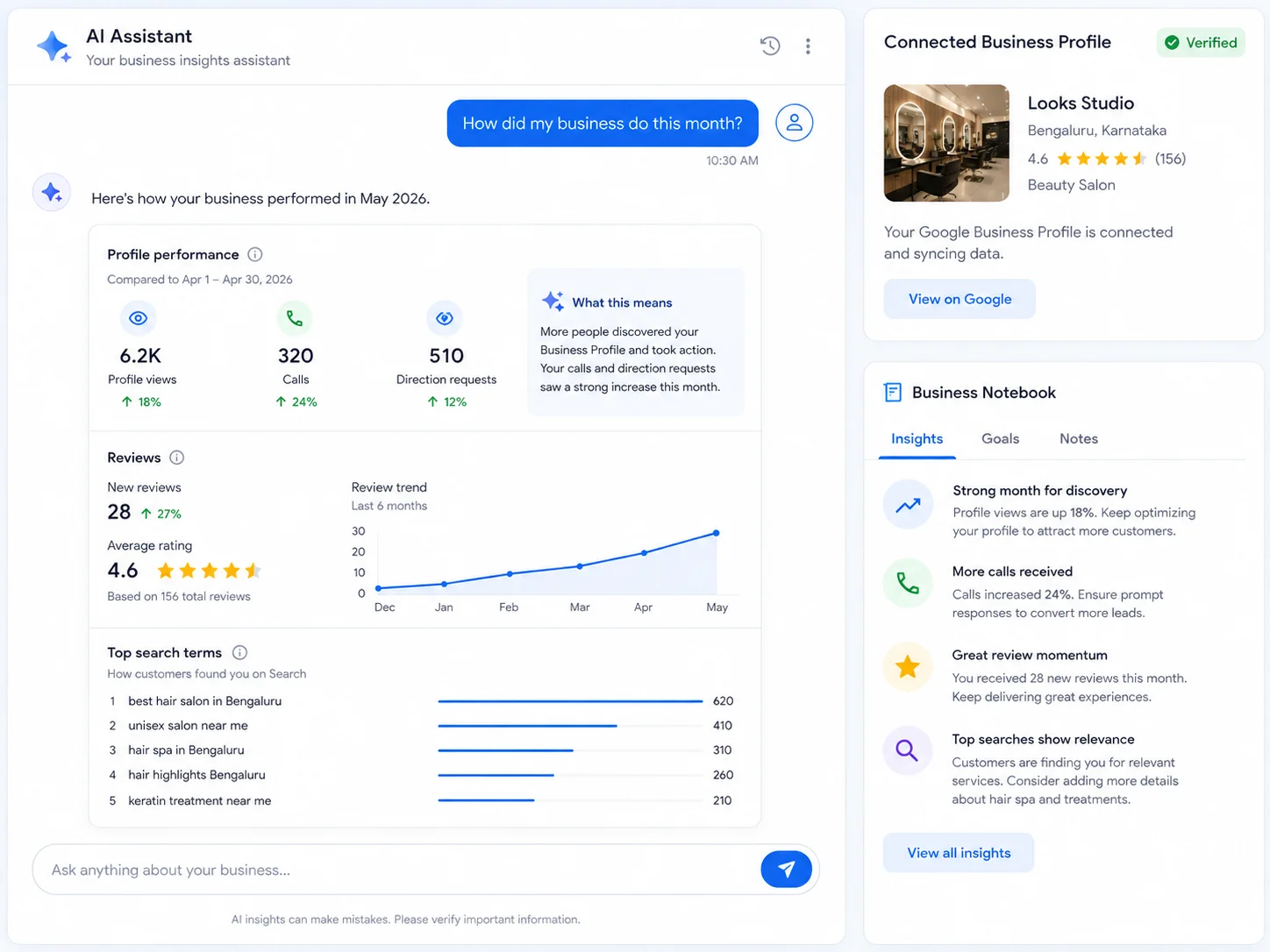
Google’s Gemini Help documentation also says the Business Profile connection can help owners update profile information, draft review replies, create posts, summarize customer feedback, and access business insights such as performance metrics and search keywords. Google notes that these features are rolling out gradually and may not be available to every eligible user yet. Gemini Apps Help
For local businesses and agencies, the takeaway is practical. Keep profile data accurate, complete, and active. Whether the customer sees your profile in Search, Maps, or an AI-assisted interface, outdated hours, weak reviews, missing services, and unclear photos can still reduce trust.
Google Business Profile Optimization Basics
You do not need to do everything at once. These are the fundamentals that matter first.
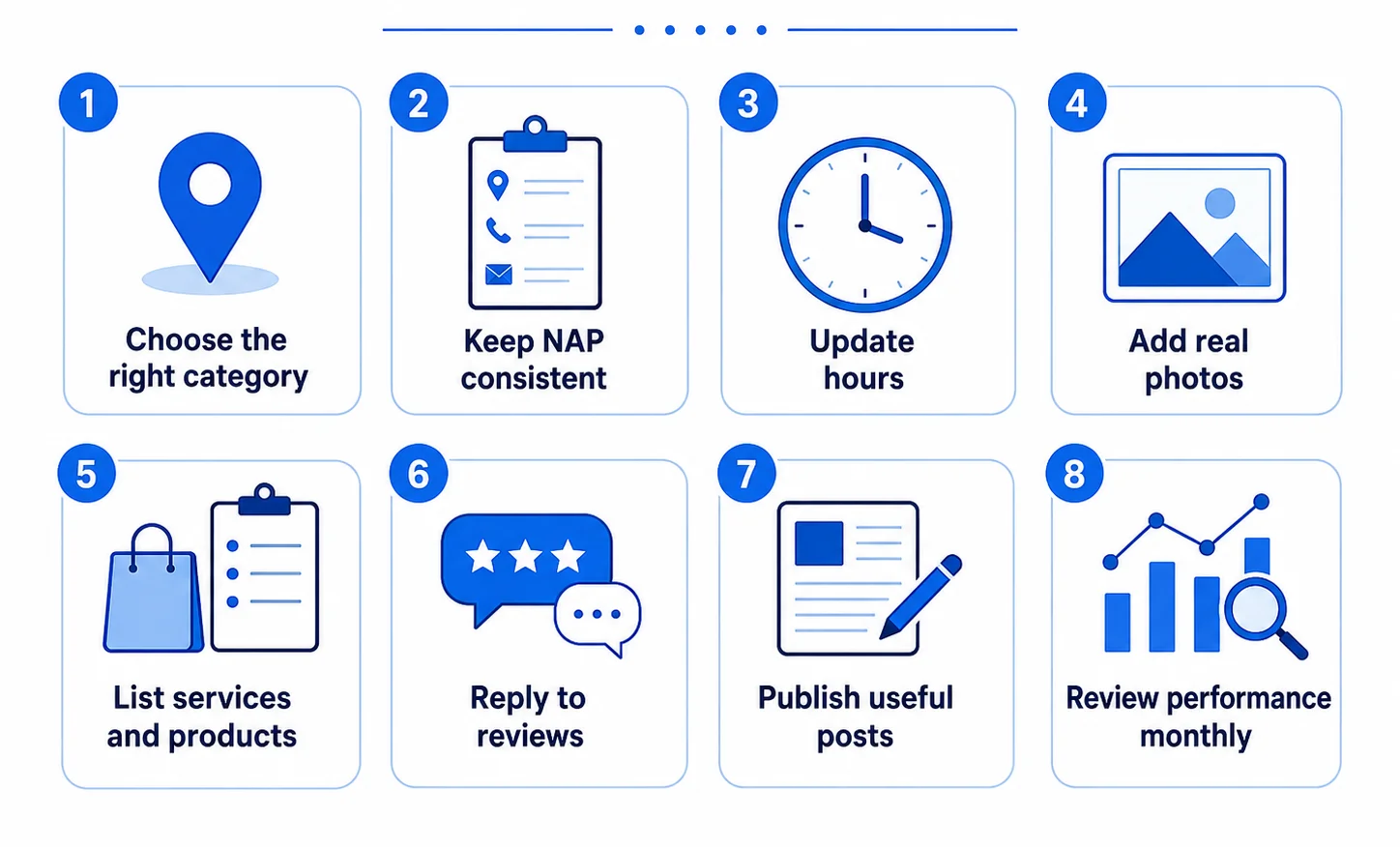
1. Choose the most accurate primary category, then add only relevant secondary categories.
2. Keep your business name, address, and phone number consistent across your profile, website, and directory listings.
3. Fill in regular hours, holiday hours, and special hours before they change.
4. Add real photos regularly instead of relying only on a logo or stock image.
5. List services and products individually with simple, customer-friendly names.
6. Reply to every review, positive or negative, within a few days.
7. Publish useful updates, offers, or events on a regular schedule.
8. Review performance data monthly to understand calls, website clicks, directions, searches, and engagement.
For a detailed walkthrough with checklists, category guidance, and a 30-day plan, read our Google Business Profile Optimization Guide.
Common Mistakes and Myths
- Myth: “Google Business Profile costs money.” Creating and managing a profile is free.Third-party tools may charge for automation, but the profile itself is free.
- Myth: “Once it is set up, the work is done.” Profiles need regular updates, review replies, photos, and monitoring.
- Myth: “More categories always help.” Only relevant categories should be used.
- Myth: “Posts alone will rank my profile.” Posts are useful for engagement and freshness, but Google’s official local ranking guidance focuses on relevance, distance, and prominence.
- Mistake: stuffing keywords into the business name. Google expects the real-world business name.
- Mistake: ignoring suggested edits and Q&A. Users can suggest changes and answer questions, so profile monitoring is important.
How GMB Pro Helps You Manage It
Everything above is simple in theory. In practice, staying consistent across posts, reviews, rankings, citations, and monthly reporting takes time. That is the gap GMB Pro is built to close.
Run your Google Business Profile workflows from one dashboard GMB Pro helps agencies, freelancers, and local businesses automate Google Business Profile work across posts, review replies, local rank tracking, citations, reports, and local landing pages. It is built especially for teams managing multiple profiles and client locations.
- AI post scheduling: create and schedule Google Post ideas across profiles.
- Review management: draft and manage review replies from one place.
- Local rank tracking: monitor where each profile ranks for target keywords.
- Citation workflows: spot consistency gaps and directory opportunities.
- Client-ready reports: turn profile activity into clear monthly reporting.
- Local landing pages: create extra conversion paths beyond the profile.
Whether you manage one location or dozens of client profiles, the goal is the same: keep every profile accurate, active, measurable, and easy for customers to trust. You can explore plans on the pricing page, start a 14-day free trial, or try the free Schema Generator and Google Review Poster tool.
The Bottom Line
A Google Business Profile is free, but it behaves like an active local marketing channel. It influences whether your business gets found in local searches, whether customers trust you enough to call, and whether your local presence stays consistent across Google Search and Maps.
The features are easy to understand. The hard part is consistency. If you would rather automate that consistency, start a free 14-day trial with GMB Pro and review your profile performance from one dashboard.