GeneralOctober 13, 2026
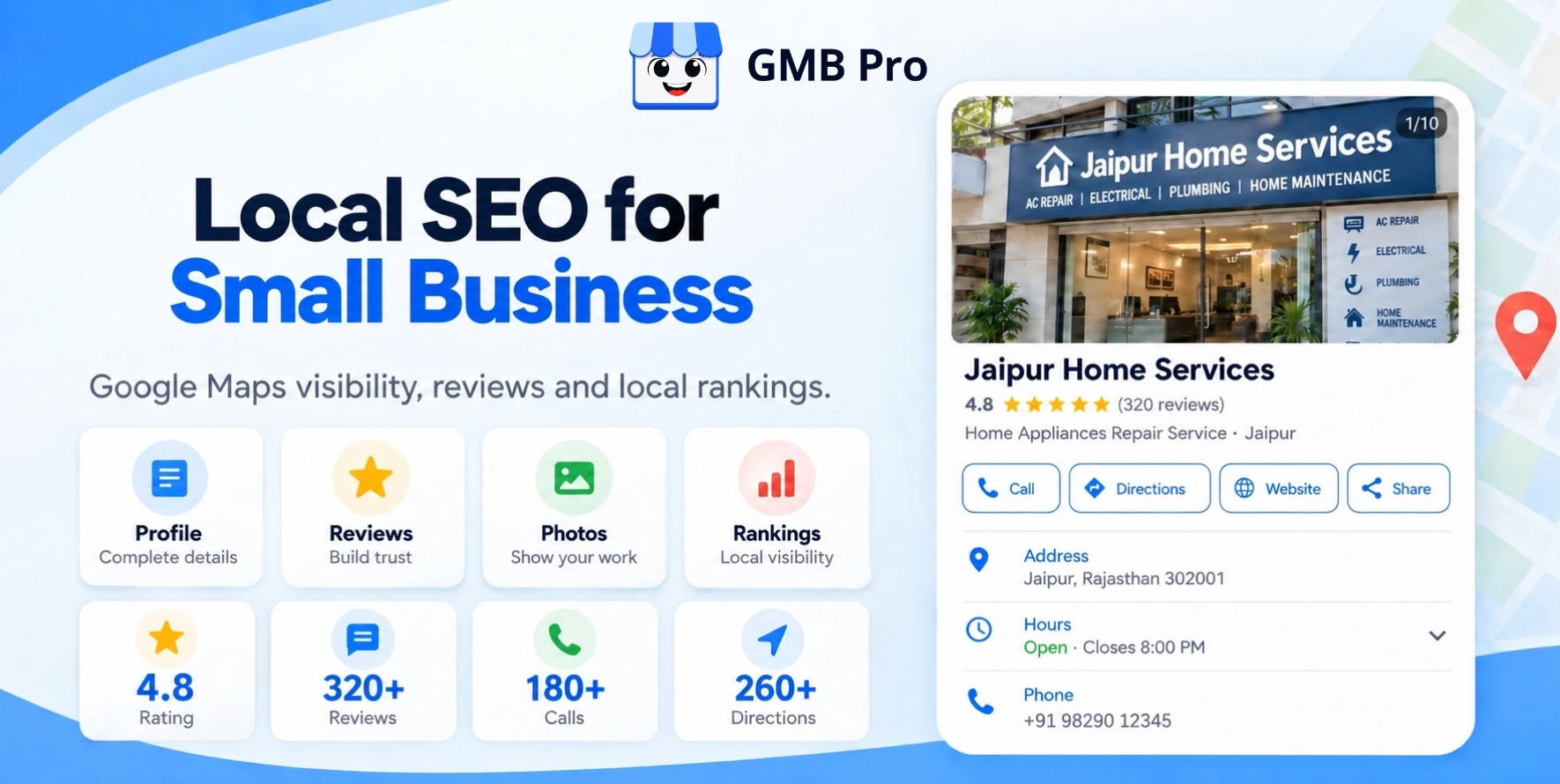
Local SEO for Small Business: Step-by-Step Guide to Rank Higher on Google Maps
When you search for "plumber near me" on Google, you see three businesses listed at the top of the Google Maps results. They get the calls, the visits, and the jobs. Everyone else fights for scraps.The good news is that you do not need a big budget to join that top group. You need to know what Google looks at and do those things better than the businesses around you.This guide shows you exactly how. It is written in plain language, with clear steps you can start today, whether you run a bakery, a dental clinic, a law firm, or a home service company.Quick AnswerTo rank higher on Google Maps, fully optimize your Google Business Profile, choose the right primary category, collect and answer customer reviews, keep your name, address, and phone number (NAP) same everywhere online, create local citations and links and add location-focused content and schema markup to your website. Google ranks local results using three factors: relevance, distance, and prominence. You control relevance and prominence. You cannot change how far your business is from a customer, but you can improve your chances of appearing in local searches by making your business more relevant and trustworthy.Key TakeawaysYour Google Business Profile (GBP) plays a major role in how your business ranks on Google Maps.The main business category you choose helps Google understand what your business offers and which searches it should appear in. Reviews matter for both rankings and conversions. Quantity, recency, quality, and your replies all count.Same business information on multiple websites create trust with Google.Your website still matters. Local landing pages, schema, and local links support your map rankings.Local SEO is not a one-time task. Steady weekly effort beats a big one-time push.What Is Local SEO (and Why It Matters for Small Businesses)?Local SEO helps your business show up on Google Search and Google Maps when people nearby look for the products or services you offer.It includes optimizing your Google Business Profile, earning reviews, keeping business listings accurate, and creating location-relevant content on your website.Local search is powerful because the intent is strong. Someone typing "emergency dentist open now" or "best coffee shop near me" is usually ready to act. They want to call, get directions, or walk in the door.For a small business, that is a big opportunity for three reasons:You compete locally, not globally. You only need to compete with businesses in your local area, not businesses across the country. The buyers are already close. People searching locally are often minutes away from choosing.It levels the playing field. A well-optimized small shop can outrank a large chain in a specific neighborhood.The Local Pack vs. Organic ResultsWhen you search for a local service, Google usually shows a map with three business listings. This is called the local pack (or "map pack"). Below it are the regular organic website results.The local pack gets a huge share of the clicks and calls for local searches, because it sits at the top of the page and shows phone numbers, ratings, and directions right away. Ranking in it is the main goal of this guide.How Google Ranks Businesses on MapsGoogle says local results are based mainly on three factors. Knowing how they work helps you focus your time and effort on what matters most.For a deeper look at the signals behind each one, see our guide to Google Business Profile ranking factors.Ranking FactorWhat It MeansHow You Influence ItRelevanceHow well your profile matches what the person is searching for.Right categories, complete profile, services list, keyword-aware description, matching website content.DistanceHow far away is your business from the searcher or the location they searched for.You cannot change it directly. Accurate address, service areas, and a strong profile help you compete beyond your block.ProminenceHow popular and trustworthy your business is, both online and in your local area. Reviews, ratings, links, mentions, citations, brand searches, and a strong website.Think of it like this: relevance gets you into the conversation, prominence makes you the trusted choice, and distance decides who is closest at that moment. Most small businesses lose because their relevance signals are weak or unclear. That is the easiest problem to fix.Step 1: Claim and Verify Your Google Business ProfileA Google Business Profile (GBP) is a free listing that helps people find your business on Google Search and Google Maps. To keep your business information accurate and improve your profile, you need to claim and manage it. If you're new to this, read our guide on what a Google Business Profile is or learn about its old name in our GMB meaning guide. How to claim your profileGo to Google and search for your business name. Or search for "Google Business Profile" and sign in.If your business already appears, click the option to claim or manage it. If your business is not listed, select the option to add your new business. Enter your exact business name, address (or service areas), phone number, and website.Complete Google's verification. This may be a video, a phone call, an email, or a postcard, depending on your business.Wait for approval before making big changes.Tips to avoid verification problemsUse your real, physical business location. Never use a virtual office, a mailbox store, or a fake address.Keep your signage, storefront, and tools in view if a video is required.Make sure the details you enter match your website and other listings.Do not create duplicate profiles. Duplicates split your signals and can cause suspensions.Step 2: Choose the Right CategoriesThe main category you choose for your Google Business Profile plays an important role in helping Google understand your business and show it in relevant searches. It tells Google what you mostly are, and it strongly influences which searches you can appear for.How to pick your primary categorySearch for your main keyword on Google (for example, "family dentist" or "roof repair").Look at the top 3 map results.Check what primary category each one uses. You can check this using free browser extensions like GMB Everywhere or PlePer, or simply by looking at their Google Business Profiles.Choose the most specific category that matches your main revenue-driving service.Be specific. "Italian Restaurant" is usually better than just "Restaurant" if that is what you are. "Personal Injury Attorney" beats "Law Firm" if that is your main work.Secondary categoriesAdd secondary categories for other services you truly offer. Do not add categories that do not describe you, because that can dilute your relevance. A few well-chosen categories are better than many random ones.Step 3: Fill Out Every Section of Your ProfileA complete profile gives Google more information to match with searches, and gives customers more reasons to choose you. For a full walkthrough, read how to optimize your Google Business Profile. Here is what to complete.Business nameUse your actual business name, just as it appears on your shop sign, invoices, and website. Avoid adding extra keywords or city names like "Best Cheap Plumber Jaipur" just to improve your rankings. This violates Google's guidelines and is a common reason for suspensions.Address and service areasEnter your accurate address. If you provide services at your customers' locations, add the cities or areas you serve. Only include places you can realistically reach, preferably near your business location.Phone number and websiteWhenever possible, use a local phone number that matches your business area. Link to the most relevant page on your site, usually your homepage or the location page for that profile. Add UTM tracking so you can see GBP traffic in Google Analytics.Business hoursKeep hours accurate at all times, including holidays. Incorrect business hours can frustrate customers, lead to negative reviews, and make people lose trust in your business.If you offer 24/7 or emergency service, set it clearly.Business descriptionYou can write up to 750 characters in your business description, but Google only shows the beginning at first. So, make sure you mention the most important details right at the start. Write naturally. Include what you do, who you serve, where, and what makes you different. Avoid stuffing keywords, links, or promotional claims.Example of a good description:[Business Name] is a family-owned HVAC company serving [City] and nearby areas for over 12 years. We repair, install, and maintain heating and air conditioning systems for homes and small businesses. Call us for same-day service and honest, upfront pricing.Services and productsAdd every service you offer, with a short description and, if possible, a price or price range. Adding your services to your Google Business Profile helps Google understand what you offer and show your business when people search for those services. Restaurants can add menus and dishes (see our Google Business Profile guide for restaurants). Retailers can add products.AttributesSelect all attributes that apply, such as "wheelchair accessible," "women-led," "free Wi-Fi," "online appointments," or "onsite services." These help you appear in more filtered and specific searches.Booking, messaging, and other featuresIf available for your business type, turn on appointment links, booking, or messaging. Reply quickly, since response time affects how customers see you.Step 4: Add Photos and Videos That Prove You Are RealPhotos do not just look nice. They build trust and encourage clicks, calls, and direction requests. Businesses with strong photo sets tend to attract more engagement.What photos to uploadLogo and cover photo: Your brand identity at a glance.Exterior photos: Add photos of your business from different angles so customers can easily find your location.Interior photos: Show what your business looks like inside, including the seating area, available space, and overall setup.Team photos: People trust faces.Work photos: Before and after shots, finished projects, products, and dishes.Short videos: Add a quick video showing your business from inside or how you provide your services. Photo best practicesUse real photos of your own business, not stock images.Take photos with good lighting and a clear focus.Add new photos regularly, ideally every week or two.Before uploading photos, give each file a simple name that describes what it shows, such as "kitchen-remodel-jaipur.jpg’’.Do not use photos with heavy text, phone numbers, or promotional overlays.Step 5: Get More Google Reviews (the Right Way)Google reviews play an important role in your local search rankings and help potential customers decide whether to choose your business . They influence rankings, click-through rates, and most importantly, whether a customer trusts you enough to call.What Google looks at in reviewsQuantity: How many reviews you have.Recency: How recently you received them. A steady flow beats a big burst followed by silence.Rating: Your average star score.Content: The words customers use, which often include your services and location.Owner responses: Whether you reply and how you reply.How to ask for reviewsGet your direct review link. In your Google Business Profile, find the option to share a review form and copy the link.Ask at the right moment. Ask right after a great experience, such as when a job is finished or a customer says thank you.Make it simple. Share your Google review link through SMS, email, or WhatsApp. You can also place a QR code on cards or at your counter. Use google review poster tool to create a QR code poster that customers can easily scan. .Train your team. Make review requests a normal part of your process.Follow up once. A gentle reminder a few days later works for many people.Sample message you can copy:Hi [Name], thank you for choosing [Business Name]! We'd love to hear about your experience. Could you take a minute to share your feedback in a Google review? It helps other people in [City] find us. Here is the link: [LINK]What not to doDo not buy reviews or use fake review services.Do not offer discounts or gifts in exchange for reviews. This breaks Google's policies.Do not review-gate, which means only asking happy customers to review.Do not ask employees or family to leave reviews.How to respond to reviewsReply to every review, good or bad. It shows you care and it adds fresh content to your profile. If you get reviews often, review management software can help you track and reply faster.Positive reviews: Thank the customer by name, mention the service naturally, and invite them back.Negative reviews: Stay calm and professional. Apologize for the experience, offer to fix it offline, and do not argue in public. Future customers read your replies to judge how you treat people.Example reply to a positive review:Thank you, Ravi! We are glad we could fix your AC so quickly. We enjoyed working with you and would be happy to help you again whenever you need us.Example reply to a negative review:We are sorry the visit did not meet your expectations, Anita. This is not the standard we aim for. Please contact us at [PHONE] so we can make it right.Step 6: Keep Your NAP Consistent and Build CitationsNAP stands for Name, Address, and Phone number. A citation is any online mention of your NAP, such as in a business directory, on a social profile, or on a local news site.Google cross-checks your details across the internet. When your information matches everywhere, Google trusts it more. When the details don't match, Google may have trouble knowing which information is correct. How to fix and build citationsCreate your master NAP. Write your exact business name, address format, phone number, and website in one document. Use it everywhere.Audit existing listings. Search your business name and phone number. Note any wrong, old, or duplicate listings. Our Google Business Profile audit checklist can guide you.Fix the errors. Claim and update incorrect listings. Ask directories to remove duplicates.Add new listings. Start by listing your business on popular platforms like Bing Places, Apple Business Connect, Facebook, LinkedIn, and Yelp (if relevant). Also, add your business to trusted local directories in your country. Add industry and local listings. Look for directories specific to your trade (for example, legal, medical, or home services) and your city or chamber of commerce.Quality beats quantity. Ten accurate listings on trusted sites are better than a hundred low-quality ones.Step 7: Optimize Your Website for Local SearchYour Google Business Profile gets you on the map, but your website backs up your claims. A strong local website can lift your map rankings and also help you rank in regular results.Create dedicated location and service pagesDo not put everything on one page. Create:A location page for each physical location.A service page for each main service (for example, "AC Repair in [City]").If you serve multiple cities, a service area page for each important area with real, useful content. Avoid thin pages that only change the city name.What to include on a local pageA clear H1 with your service and location (for example, "Emergency Plumber in Jaipur").Your NAP, matching your Google Business Profile exactly.An embedded Google Map of your location.Local details: neighborhoods served, landmarks, local problems you solve, and directions.Customer testimonials and case studies from that area.Photos of your real work and team.A clear call to action with a click-to-call button.An FAQ section that answers common local questions.On-page basicsTitle tag: Include your main service and city, and keep it under 60 characters. Example: "Emergency Plumber in Jaipur | [Brand Name]".Meta description: Write a helpful, clear summary that encourages clicks.Headings: Use one H1, then H2 and H3 headings that mention your services and areas naturally.Internal links: Link your location page to your service pages and back.Mobile speed: Most local searches happen on phones. Make sure your site loads fast and is easy to tap.HTTPS: Secure your site with an SSL certificate.Step 8: Add Local Business Schema MarkupSchema markup is code that helps search engines and AI tools understand your business details clearly. Adding LocalBusiness schema to your website is a simple way to send clean signals about who you are and where you operate.Here is a basic example you can adapt and add to your location page:Use a more specific type when one exists, such as Dentist, Restaurant, or Plumber, instead of the general LocalBusiness. Test your markup with Google's Rich Results Test before publishing. You can also create ready-made code with the local business schema generator.Step 9: Build Local Links and MentionsLinks from other local websites tell Google that your business is real, active, and trusted in your community. This boosts your prominence.Easy ways to earn local linksSponsor local events, teams, or charities. Many organizations link to their sponsors.Join your local chamber of commerce or business association.Partner with complementary businesses. A wedding photographer can partner with a florist, for example, and cross-link on partner pages.Offer expert comments to local news. Reporters and bloggers often need quotes from local experts.Create local resources. A neighborhood guide, a local cost survey, or a seasonal checklist can attract links naturally.Get listed in local blogs and "best of" lists by delivering great service and reaching out politely.Host or speak at local workshops. Event pages usually link to speakers.Step 10: Post Updates and Stay ActiveAn active profile signals that your business is open, engaged, and current. Use Google Business Profile posts to share updates, offers, events, and new services. For a full weekly routine, see the Google Business Profile management guide.Ideas for regular postsNew products, dishes, or services.Seasonal offers and holiday hours.Recent projects and customer success stories.Tips and short how-to advice related to your service.Local events you are part of.Try to share at least one post every week to keep your Google Business Profile active and updated. Add a clear photo (check the right Google Business post image size) and a call-to-action button (such as "Call now," "Book," or "Learn more"). Posts may not be a direct ranking booster, but they support engagement and give customers fresh reasons to contact you.Step 11: Track Your ResultsYou cannot improve what you do not measure. Track these numbers monthly:What to TrackWhere to Find ItWhy It MattersCalls, direction requests, website clicks, messagesGoogle Business Profile performanceShows real customer actions, which is the true goal.Search terms people used to find youGoogle Business Profile performanceHelps you find relevant keywords to include in your Google Business Profile and website. Local map rankings by locationGeo-grid rank trackers such as Local Falcon, BrightLocal, or similar toolsHelps you see where your business ranks on Google Maps across different locations in your area, rather than checking just one location.Organic traffic to local pagesGoogle Analytics and Google Search ConsoleShows whether your website content is working.Review count, rating, and response rateGoogle Business ProfileTracks your prominence and reputation growth.Important: Your ranking changes depending on where the searcher is standing. Do not search for yourself and assume that is your true position. Use a geo-grid tool or ask friends in different areas to check. Not sure which tool to pick? Our GMB Pro vs Localo vs BrightLocal comparison shows how popular options differ.Special Case: Service Area BusinessesA service area business (SAB) travels to customers, like plumbers, electricians, cleaners, and mobile groomers. You can still rank on Google Maps, but there are extra rules:Hide your address if customers do not visit you at your location.List the cities or regions you actually serve.Never use a fake address or a virtual office just to show up in another city.Create a separate page on your website for each main service area, with useful and relevant information for customers in that location. Collect reviews that mention the neighborhoods and cities where you work.Because your distance from the searcher still matters, expect to rank best in the areas closest to your real base. Extend your reach gradually through reviews, links, and strong local content.Special Case: Multiple LocationsIf you have more than one location, each real location needs its own Google Business Profile and its own page on your website.Give each location a unique local phone number and address.Write unique content for each location page. Do not copy and paste the same text.Link each profile to its own location page, not just the homepage.Track reviews and rankings for each location separately.Use bulk verification and management tools if you manage many profiles (see our guide to Google Business Profile management software).How to Make Your Business Appear in AI Search Results People now ask questions to AI tools like Google's AI Overviews, ChatGPT, Gemini, Perplexity, and Copilot. These tools often recommend local businesses or explain how to choose one. You can improve your chances of being mentioned or cited by following a few practices. This is often called Answer Engine Optimization (AEO) or Generative Engine Optimization (GEO).What helps AI tools recommend youClear, consistent business facts. AI systems pull from many sources. When your name, services, location, and hours match everywhere, they can describe you with confidence.Strong reviews with descriptive content. Reviews that mention specific services and outcomes give AI tools rich material.Direct answers on your website. Start pages and sections with a short, clear answer, then explain. This structure is easy for AI systems to quote.FAQ sections with real customer questions. Write questions the way people ask them, like "How much does a root canal cost in Jaipur?" and give a helpful answer in two to four sentences.Structured data. Use LocalBusiness, FAQPage, and Service schema so machines can read your content without guessing.Expertise and trust signals. Show author names, credentials, years in business, licenses, certifications, and real photos. This supports the idea of experience, expertise, authoritativeness, and trustworthiness (E-E-A-T).Mentions on other trusted sites. Local news, directories, industry associations, and community pages help AI systems confirm that you are real and reputable.Fresh, updated content. Update your key pages regularly and show a "last updated" date.Simple, well-organized writing. Short paragraphs, clear headings, lists, and tables make your content easier to summarize and cite.Allow crawling. Make sure your robots.txt does not block search and AI crawlers that you want to be visible to.A simple content pattern that worksWrite a question as your heading.Give a 40 to 60 word direct answer right below it.Add details, examples, steps, or a table after that.End with a clear next step, like a call or booking link.10 Local SEO Mistakes to AvoidStuffing keywords into your business name. It can get your profile suspended.Choosing the wrong primary category. It limits the searches you can show up for.Ignoring reviews. Unanswered and outdated reviews hurt trust.Buying fake reviews. Google can remove them and penalize your profile.Using a fake or virtual address. This is a fast path to suspension.Having inconsistent NAP data. Old phone numbers and addresses confuse Google.Creating duplicate profiles. They split your signals and cause problems.Using thin, copy-paste city pages. Google sees them as low quality.Forgetting mobile users. Slow or hard-to-use sites lose customers.Treating local SEO as a one-time task. Rankings depend on ongoing activity.The Complete Local SEO ChecklistUse this checklist to work through everything in this guide. To review your profile in more detail, follow Google Business Profile audit checklist.Google Business ProfileClaim and verify your profile Choose the best primary category and relevant secondary categoriesUse your actual business name without adding extra keywords Add accurate address or service areasAdd your local business phone number and website linkSet accurate hours, including holiday hoursWrite a clear, helpful business descriptionAdd all services and products with descriptionsSelect all relevant attributes Upload real photos and short videos regularlyTurn on booking or messaging if availablePost updates weeklyReviewsCreate your direct review link and QR codeAsk every happy customer for a reviewReply to every review within a few daysTry to get new Google reviews from your customers regularly every monthCitations and ConsistencyCreate a master NAP documentFix incorrect and duplicate listingsClaim Bing Places, Apple Business Connect, and major directoriesAdd industry and local directory listingsWebsiteCreate location and service pages with unique contentOptimize title tags, headings, and meta descriptionsEmbed your Google Map and show your NAPAdd LocalBusiness and FAQ schemaMake the site fast, secure, and mobile-friendlyAdd a click-to-call buttonAuthority and TrackingEarn local links through sponsorships, partners, and pressTrack calls, clicks, and direction requests monthlyMonitor rankings with a geo-grid toolReview and improve every quarterHow Long Does Local SEO Take?Small businesses may start noticing improvements within 4 to 8 weeks, but stronger results can take 3 to 6 months or longer. It depends on local competition, your current online presence, and how regularly you work on your local SEO. TimeframeWhat You Can ExpectWeeks 1 to 2Profile is claimed, fully optimized, and citations are cleaned up.Weeks 3 to 8Reviews start growing, impressions rise, and you begin to show up in more searches.Months 3 to 6Stronger map rankings, more calls and direction requests, and better website traffic.Months 6 and beyondStable top positions in your core areas, if you keep earning reviews, links, and fresh content.Be careful with anyone who guarantees a number one spot in a few days. Local SEO rewards real business quality and steady effort.Final ThoughtsGetting your business to rank higher on Google Maps takes consistent effort, not shortcuts. It is about making it easy for Google, and for customers, to see that your business is real, relevant, and trusted.Start with the basics: claim your Google Business Profile, choose the right categories, and fill out every field (here is how to optimize your profile in detail). Then build your reputation with steady reviews, consistent listings, a strong local website, and helpful content. Track your results and keep improving a little every week.The businesses at the top of the map did not get there by accident. They just did these things consistently, and now you can too.Ready to Get More Customers From Google Maps?Want expert help with your local SEO? Contact GMB Pro for a free local SEO audit and a simple action plan to improve your Google Maps rankings and increase your chances of reaching the top 3 results.